Author: Umesh

  • What Is a Transparent LED Display Screen? A Complete Guide for Glass Facades & Storefronts

    What Is a Transparent LED Display Screen? A Complete Guide for Glass Facades & Storefronts

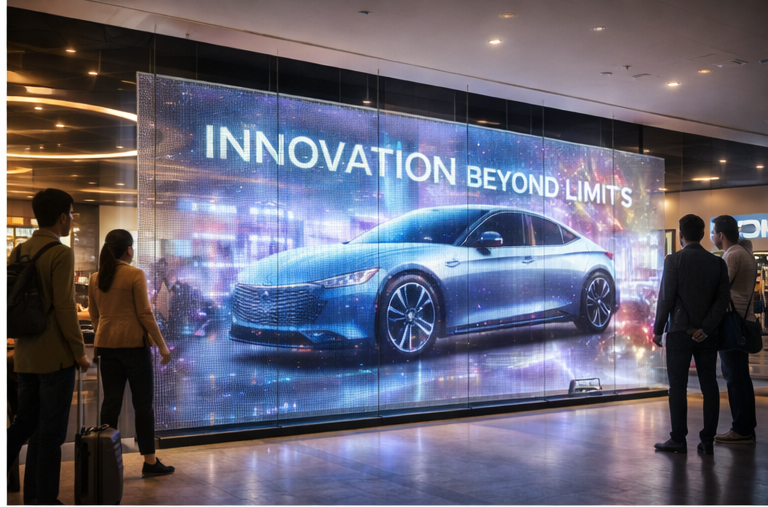
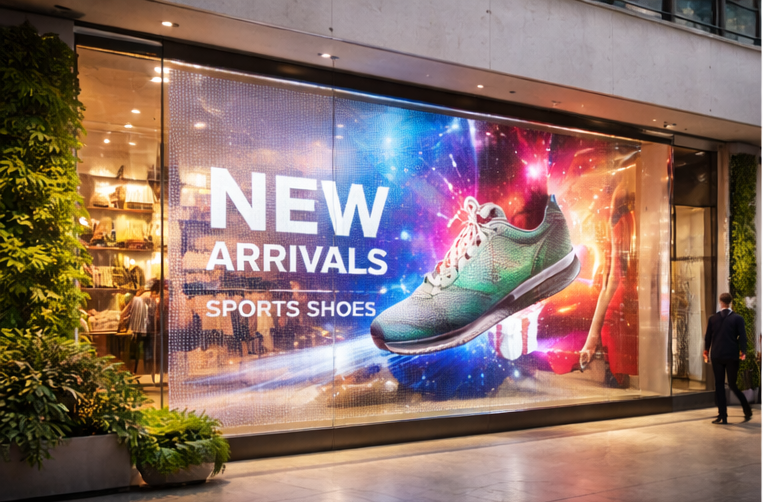
    Transparent LED display screens are rapidly becoming the preferred digital signage solution for glass storefronts, commercial buildings, and modern architectural spaces. Unlike traditional LED walls that block views and light, transparent LED displays allow people to see through the screen while displaying bright digital content.

    In this guide, we explain what transparent LED display screens are, how they work, where they are used, and how to choose the right transparent LED solution in India.


    What Is a Transparent LED Display Screen?

    A transparent LED display screen is a see-through digital display made of LED strips mounted on a lightweight structure. These displays are designed to be installed on glass surfaces such as storefront windows, building facades, and interior glass partitions.

    They maintain transparency while displaying videos, images, and dynamic content.


    How Transparent LED Displays Work on Glass

    Transparent LED displays use spaced LED modules that allow light to pass through the screen. This design makes them ideal for applications where maintaining visibility and natural light is important, such as retail windows and building facades.


    Where Transparent LED Screens Are Used


    Transparent LED vs Regular LED Displays

    Transparent LED displays are designed for glass and architectural integration, while regular LED displays are best suited for walls and enclosed spaces. Transparent LED screens maintain visibility and aesthetics, making them ideal for premium branding.


    Benefits of Transparent LED Display Screens

    • See-through design
    • Modern, premium appearance
    • High brightness for daylight visibility
    • Custom sizing for glass facades
    • Energy-efficient technology

    How to Choose the Right Transparent LED Display in India

    • Installation environment
    • Location (indoor vs outdoor)
    • Glass size and structure
    • Brightness requirements
    • Viewing distance

    Transparent LED display screens offer a powerful way to combine digital advertising with modern architecture. If youโ€™re planning to install a transparent LED display on your glass facade or storefront, Consult a Gleam LED expert to choose the right configuration.

  • Transparent LED Screen Technology : Specs That Matter + LUCID Series Technical Guide

    Transparent LED Screen Technology : Specs That Matter + LUCID Series Technical Guide

    A transparent LED screen is built to display high-impact content on glass while keeping visibility through the window. Itโ€™s ideal for storefront glass, retail windows, mall atriums, and building facades where a normal LED wall would block the interior.

    In this guide, youโ€™ll learn how transparent LED works, what specifications actually mean, and how to choose the right configurationโ€”using the LUCID Transparent LED Display as a real reference.


    1) What is a Transparent LED Screen?

    A transparent LED screen uses LED pixels mounted on slim strips or a grille-like structure, leaving space between pixels. That open area is what creates the โ€œsee-throughโ€ effect.

    Unlike regular indoor LED walls, transparent LED is a balance of:

    • Transparency % (how much you can see through)
    • Brightness (nits) (daylight impact)
    • Pixel pitch (clarity and viewing distance)
    • Service access + installation method (maintenance and long-term uptime)

    2) How Transparent LED is Built (Simple Technical Breakdown)

    Pixel strips + open area design

    Transparent LED panels commonly use thin PCB strips with LEDs placed at a fixed pitch. The gaps between strips increase transparency.

    Cabinet / panel system

    Most commercial installs use standardized panels (cabinets) that join together to form custom sizes.
    For example, LUCID uses a cabinet/panel format designed for architectural glass installs.

    Control system (processor + sending/receiving)

    Like other LED displays, transparent LED requires a controller/video processor setup and proper signal distribution. This matters more on facades/atriums where cable runs can be longer.

    If you want to see common application setups, check Transparent LED solutions.


    3) LUCID Transparent LED Specs (Real Example from a Transparent LED Product)

    Below are key technical parameters from the LUCID Series to help you understand what to compare when evaluating transparent LED.

    Reference product: LUCID Transparent LED Display

    Pixel pitch & resolution

    • Pixel pitch: 3.91 / 7.8 mm (L3 and L3-Pro)
    • Pixel density: 32,768 pixels/ใŽก
      What it means: This pitch is typically chosen for storefronts, showrooms, and glass installs where the viewing distance is not extremely close.

    Brightness (nits)

    • L3 brightness: 800 nits
    • L3-Pro brightness: 4,200 nits
      What it means: Brightness should be selected based on whether your glass faces daylight and how strong the ambient light is.

    Transparency rate

    • Transparency: 60% (L3 and L3-Pro)
      What it means: You keep visibility through the glass while still showing content (actual perceived transparency also depends on content colors and brightness settings).

    Refresh rate (camera performance)

    • Refresh rate: 3,840 Hz
      What it means: Higher refresh helps smooth motion and improves camera friendliness (important for launches, events, influencer content, and filming).

    Panel size, resolution & weight

    • Panel dimension: 1000 mm ร— 1000 mm
    • Panel resolution: 256 ร— 128
    • Panel weight: 15 kg
      What it means: Standard panel sizes make it easier to plan screen dimensions and structure.

    Power consumption

    • Max/Avg power: 600W / 150W per ใŽก
      What it means: Always plan electrical load using max power, but estimate running cost using average power.

    Viewing angle

    • Viewing angle: 160ยฐ / 160ยฐ
      What it means: Useful for public walk-by viewing in malls, storefronts, and open areas.

    IP rating (environment protection)

    • L3: IP31
    • L3-Pro: IP43
      What it means: Higher IP offers better protection against dust/moisture exposure. Choose based on whether the installation is indoor, semi-outdoor, or exposed to humidity/dust.

    Voltage and operating limits

    • Input voltage: 110Vโ€“240V, 50/60Hz
    • Operating temperature: -20ยฐ to 60ยฐC
    • Grayscale: 14-bit
    • Lifespan: >100,000 hours

    4) The 7 Transparent LED Specs You Must Compare (Buyer Checklist)

    When comparing transparent LED screens, prioritize these:

    1. Brightness (nits) โ€” match to daylight direction and glass placement
    2. Transparency % โ€” higher transparency looks premium, but can reduce โ€œimpactโ€
    3. Pixel pitch โ€” choose based on viewing distance, not just โ€œbest specโ€
    4. Refresh rate โ€” critical if it will be filmed
    5. Panel size & weight โ€” affects structure design and installation speed
    6. Power (max/avg) โ€” affects wiring, MCB selection, and operating cost
    7. IP rating โ€” important for dusty, humid, or semi-outdoor areas

    5) Choosing the Right Transparent LED for Your Use Case

    Storefront glass / retail windows

    • Priorities: premium look + visibility + strong promotion content
    • Choose brightness based on sunlight exposure
    • Ensure clean mounting and concealed cabling

    Mall atriums & experience centers

    • Priorities: wide viewing angle + balanced pitch + clean structural planning
    • Consider camera use if the space hosts launches/events

    Building facades / curtain walls

    • Priorities: IP protection, structure engineering, cabling route, service plan
    • Brightness and environmental protection are typically more important here

    For execution support, go to LED video wall installation and commissioning.


  • LED Video Wall Installation Requirements in India: Power, Earthing, Structure & Site Checklist

    LED Video Wall Installation Requirements in India: Power, Earthing, Structure & Site Checklist

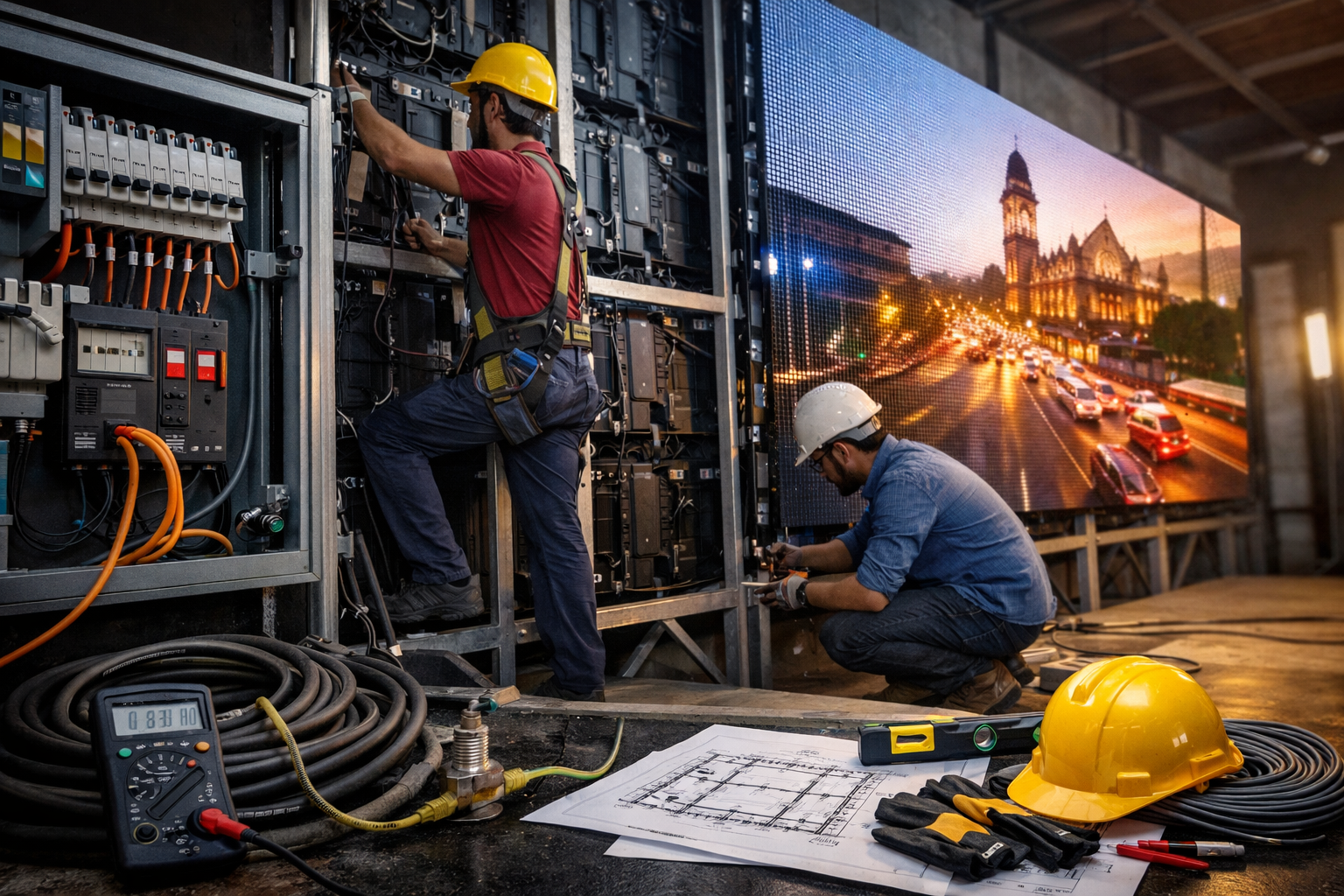
    Most LED video wall problems donโ€™t start with the screenโ€”they start with the site. If power, earthing, structure, and cable routing arenโ€™t planned correctly, projects get delayed and displays can suffer from flicker, downtime, or premature component failure.

    This checklist explains the most important installation requirements in India so your LED wall installation goes smoothly from day one.


    1) Quick Pre-Installation Checklist (Before Ordering)

    Before finalizing your LED wall, confirm these basics:

    • Screen size (W ร— H) and exact mounting location
    • Viewing distance and use-case (retail showroom, corporate lobby, auditorium, stage, etc.)
    • Mounting type: wall-mounted, hanging, ground support, or faรงade
    • Content sources: laptop/PC, media player, camera feed, live switcher
    • Cable route: where power cables and data cables will run
    • Controller/processor location: a safe, ventilated spot near the signal source
    • Site photos/videos: front view, side view, ceiling height, and nearest power point

    If you want to see common use-cases and setups, check our LED video wall solutions


    2) Power Requirements for LED Video Walls (What to Plan)

    Power needs depend on screen size, brightness, pixel pitch, and content. A good practice is to plan for both average and maximum power so there are no surprises.

    Plan these power basics:

    • Use a dedicated power line for the LED wall (avoid sharing with heavy appliances)
    • Confirm the nearest distribution board and safe routing for cables
    • Ensure stable voltage at the installation location
    • For critical spaces (corporate lobbies, control rooms, studios), consider a UPS for the controller/processor and a surge protector for the system

    Tip: In your final quote, ask for:

    • Maximum power (W) and average power (W)
    • Recommended MCB rating and cable gauge
    • Any accessory requirements (surge protection, power distribution)

    3) Earthing & Safety (Non-Negotiable for Reliability)

    Proper earthing (grounding) is one of the most important requirements for LED display safety and long-term performanceโ€”especially in areas with unstable power, lightning risk, or heavy electrical load.

    Earthing checklist:

    • Confirm proper earth connection is available at the installation point
    • Ensure earthing is done by a qualified electrician following local best practices
    • Use surge protection (highly recommended for outdoor or high-risk locations)
    • Ensure all metal structure/mounting frames are safely bonded where required

    For an official reference, you can review IS 3043 (Code of Practice for Earthing) from BIS


    4) Structure & Mounting Requirements (Wall, Hanging, or Ground Support)

    The LED wall is only as strong as the structure holding it. A clean structure improves alignment, reduces vibration, and makes servicing easier.

    Wall-mounted LED video wall

    Best for: retail, corporate lobbies, meeting rooms, showrooms

    • Confirm the wall is load-bearing and suitable for anchoring
    • Plan ventilation clearance (avoid trapping heat behind the wall)
    • If rear access isnโ€™t possible, select a front-service design so maintenance is easy

    Hanging / truss-mounted LED wall

    Best for: events, stages, auditoriums

    • Use certified rigging practices and safety locks
    • Confirm load capacity of ceiling/truss
    • Ensure the hanging position allows safe cable routing and maintenance

    Ground support / freestanding

    Best for: temporary events, exhibitions, large indoor setups

    • Stable base and proper bracing
    • Safe crowd control and cable management
    • Avoid trip hazards with ramps or cable covers

    Tip: Always confirm service access. Can a technician replace modules or power supplies without dismantling the entire setup?


    5) Cable Planning: Power + Data + Signal (Avoid Common Mistakes)

    Cable routing is a hidden cause of installation delays. Plan it early.

    Best practices:

    • Keep power cables and data cables separated to reduce interference
    • Plan the controller/processor location close to your content source
    • For long distances, plan for appropriate signal extension (your installer will advise)
    • Use secure conduits/trunking for a clean finish in premium spaces

    Ask your installer to confirm:

    • Cable length limits and best path
    • Where the sending box/processor will sit
    • Exact input requirements (HDMI, SDI, USB player, etc.)

    6) Ventilation, Heat & Environment (Important for Lifespan)

    LED walls generate heat. Poor ventilation can shorten component life.

    Plan for:

    • Adequate airflow (especially in false ceilings or recessed walls)
    • Avoid direct exposure to heat sources or sealed enclosures
    • Dust control for industrial areas (regular cleaning schedule helps)

    If your project is outdoor or semi-outdoor, confirm environmental needs like rain protection and safe drainage paths near the installation site.


    7) Typical Installation Timeline (What to Expect)

    A clean installation usually follows this flow:

    1. Site survey and measurements
    2. Structure fabrication (if required)
    3. Electrical readiness (power + earthing + safety)
    4. Mounting and cabinet installation
    5. Controller setup + signal testing
    6. Calibration and brightness/color tuning
    7. Final handover + basic training

    For a step-by-step overview of our process, see our LED video wall installation and commissioning service page.


    8) Common Reasons LED Wall Projects Get Delayed

    Avoid these common issues:

    • No dedicated power line planned
    • Earthing not available at install point
    • Structure not ready or not level
    • No clear cable route (especially in premium interiors)
    • Wrong mounting location chosen without considering viewing distance
    • Last-minute changes to screen size after structure work
  • How LED Video Walls Improve Customer Experience in Retail Spaces

    How LED Video Walls Improve Customer Experience in Retail Spaces

    Introduction

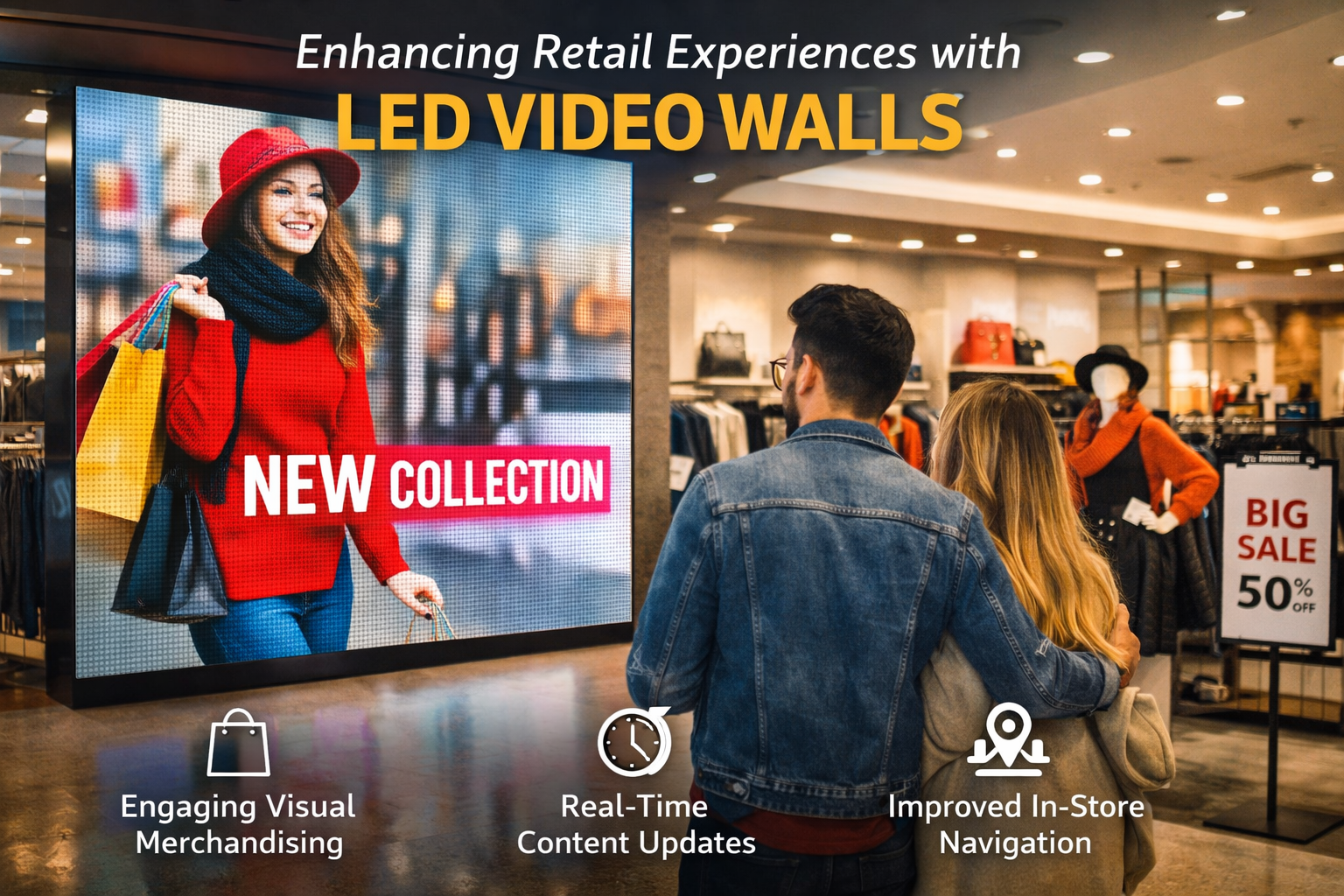
    Retail brands increasingly use LED video walls to create immersive in-store experiences that attract attention and guide customer behavior. Modern retail environments rely on digital visuals to communicate brand stories, highlight promotions, and create memorable shopping journeys. This article explains how LED video walls enhance customer experience in retail spaces and why brands invest in large-format digital displays.

    Create Immersive Visual Merchandising

    Retailers use LED video walls to transform storefronts and interior spaces into dynamic visual environments. High-brightness indoor LED displays allow teams to change content instantly, showcase seasonal campaigns, and present products in visually engaging ways. These digital surfaces attract foot traffic and draw shoppers deeper into the store.

    Increase Dwell Time and Engagement

    Dynamic content on LED video walls encourages shoppers to pause and engage with the brand. Retailers display product videos, brand stories, and lifestyle visuals to keep customers engaged longer. Increased dwell time often leads to higher purchase intent and improved brand recall.

    Support Omnichannel Campaigns In-Store

    Retail teams connect physical stores with digital campaigns by syncing LED video wall content with online promotions and social media launches. This approach ensures consistent messaging across channels and creates a cohesive brand experience for customers who interact with both online and offline touchpoints.

    Improve Wayfinding and In-Store Navigation

    Large LED video walls help shoppers navigate complex retail spaces. Retailers use these displays to guide visitors to departments, highlight promotions, and communicate real-time information. High-visibility outdoor LED advertising displays at mall entrances also direct visitors toward flagship stores and promotional zones.

    Enable Real-Time Content Updates

    Retail teams update LED video wall content in real time to reflect inventory changes, flash sales, and limited-time offers. This flexibility allows stores to respond quickly to customer demand and marketing opportunities without reprinting static signage.

    Connect Retail Displays to Brand Storytelling

    LED video walls provide a platform for immersive brand storytelling. Retailers use motion graphics, product demos, and lifestyle content to communicate brand values and differentiate themselves from competitors. Understanding how commercial LED displays differ from consumer screens helps teams design better content; our article on how LED screens in iPhone and Samsung mobiles differ from commercial LED displays explains these technical differences in detail.

    Final Thoughts

    LED video walls elevate retail environments by turning physical spaces into dynamic brand experiences. Retailers who align LED content with customer journeys create stronger engagement, improve navigation, and deliver more memorable in-store experiences.

  • What Is Chip-on-Board (COB) LED Technology and How It Improves LED Display Performance

    What Is Chip-on-Board (COB) LED Technology and How It Improves LED Display Performance

    Introduction

    Chip-on-Board (COB) LED technology represents a significant evolution in how LEDs are packaged and integrated into modern LED display screens. As LED displays move toward higher pixel densities and closer viewing distances, manufacturers continue to refine LED packaging methods to improve visual uniformity, durability, and surface protection. COB technology changes how LED chips are mounted and protected on display modules, which directly affects display performance in practical applications.
    If youโ€™re comparing options for an indoor LED video wall, COB is worth considering for close-viewing environmentsโ€”see our WP Series indoor display for typical commercial setups.

    This article explains what COB LED technology is, how it differs from traditional LED packaging approaches, and how it improves the performance of LED display screens in commercial and professional environments.


    What Is Chip-on-Board (COB) LED Technology?

    Chip-on-Board (COB) technology mounts bare LED chips directly onto a substrate and encapsulates them with a protective resin layer. Instead of packaging each LED chip individually, COB integrates multiple chips into a single compact light-emitting surface. This approach reduces physical spacing between light sources and creates a smoother display surface.

    COB packaging improves mechanical protection and allows LEDs to operate as a more uniform light source. For a technical overview of COB LED technology in display applications, refer to this resource from ViewSonic:
    https://www.viewsonic.com/library/tech/what-is-cob-led-technology/


    How COB Differs from Traditional LED Packaging

    Most conventional LED display screens use Surface-Mounted Device (SMD) LEDs, where each LED chip is individually packaged and soldered onto a circuit board. COB technology differs in several important ways:

    • Direct chip mounting: LED chips are mounted directly onto the board
    • Encapsulated surface: A resin layer protects the entire LED array
    • Reduced pixel gaps: Smaller spacing between light sources improves visual smoothness
    • Improved physical protection: Encapsulation shields chips from dust and minor impact

    A more detailed explanation of how COB packaging is implemented at the electronics level can be found in this overview by PCB-Technologies:
    https://www.pcb-technologies.com/applications/chip-on-board/


    How COB Technology Improves Visual Performance

    Smoother Visual Surface

    By reducing the physical gaps between individual LEDs, COB modules create a flatter and more continuous light-emitting surface. This makes images appear smoother and less pixelated, particularly in high-resolution displays viewed from close distances.

    Improved Contrast and Reduced Glare

    The encapsulated surface used in COB modules helps reduce surface reflections and light scattering. This leads to better contrast and lower glare, which improves viewing comfort in brightly lit indoor environments.

    Enhanced Color Uniformity

    COB packaging promotes more consistent light distribution across the display surface. When combined with calibration, this results in more uniform color reproduction across large LED video walls.


    Durability and Surface Protection Benefits

    COB LED displays provide better mechanical protection than traditional LED modules. The protective resin layer covers the LED chips, reducing exposure to dust, moisture, and accidental contact. This improves resistance to surface damage and helps maintain consistent performance over time.

    The encapsulation process used in COB packaging also reduces the risk of individual LED chips becoming dislodged or damaged. For a practical explanation of how COB assemblies are manufactured, this SparkFun tutorial provides useful insight:
    https://learn.sparkfun.com/tutorials/how-chip-on-boards-are-made/all


    Thermal Management Considerations

    Effective heat dissipation is critical for LED longevity and stable brightness performance. COB LED modules are designed with thermal pathways that distribute heat more evenly across the substrate. This helps:

    • Maintain consistent brightness
    • Reduce thermal stress on individual LED chips
    • Support longer operational lifespans

    Thermal management remains an important consideration in both indoor and outdoor LED display designs, although COB technology is most commonly applied in controlled indoor environments.


    Where COB LED Displays Are Commonly Used

    COB LED technology is primarily used in high-resolution indoor LED displays where close viewing distances and visual smoothness are important. Typical applications include corporate lobbies, control rooms, broadcast studios, and experience centers.

    In contrast, outdoor LED advertising displays focus more on extreme brightness and weather resistance, which is why traditional LED packaging methods remain more common in large-format outdoor billboards.


    Practical Considerations and Limitations

    While COB LED technology offers clear advantages, it also introduces practical considerations:

    • Higher manufacturing complexity
    • Different repair and maintenance procedures
    • Higher cost per square meter in some cases
    • Limited adoption in large outdoor environments

    These factors influence where COB technology is most appropriate within LED display applications.


    COB Technology in the Broader LED Display Ecosystem

    COB represents one of several LED packaging approaches used in modern display systems. Its growing adoption reflects demand for smoother visuals, higher pixel density, and improved surface durability in premium LED display environments. As LED display technology evolves, packaging innovations like COB continue to shape how displays perform and how viewers experience digital content.


    Conclusion

    Chip-on-Board (COB) LED technology improves LED display performance by enhancing visual uniformity, surface durability, and overall viewing comfort. By mounting LED chips directly onto a substrate and encapsulating them within a protective layer, COB displays achieve smoother visuals and greater resilience in close-viewing environments. While COB technology is primarily used in high-resolution indoor LED display screens, it plays an increasingly important role in the broader evolution of LED display technology.

  • Understanding LED Display Control Systems: How Modern LED Screens Process, Synchronize, and Deliver Visual Content

    Understanding LED Display Control Systems: How Modern LED Screens Process, Synchronize, and Deliver Visual Content

    Introduction

    LED display technology has become a core component of modern visual communication, powering outdoor advertising billboards, indoor video walls, control rooms, retail environments, and architectural installations. While LED panels and modules are the most visible parts of these systems, the true performance of an LED display depends heavily on the intelligence and reliability of its control system.

    An LED display control system manages how digital content is received, processed, synchronized, and ultimately displayed across thousands or millions of individual pixels. It ensures visual consistency, color accuracy, motion clarity, and long-term operational stability. Without a robust control system, even high-quality LED panels cannot deliver reliable results.

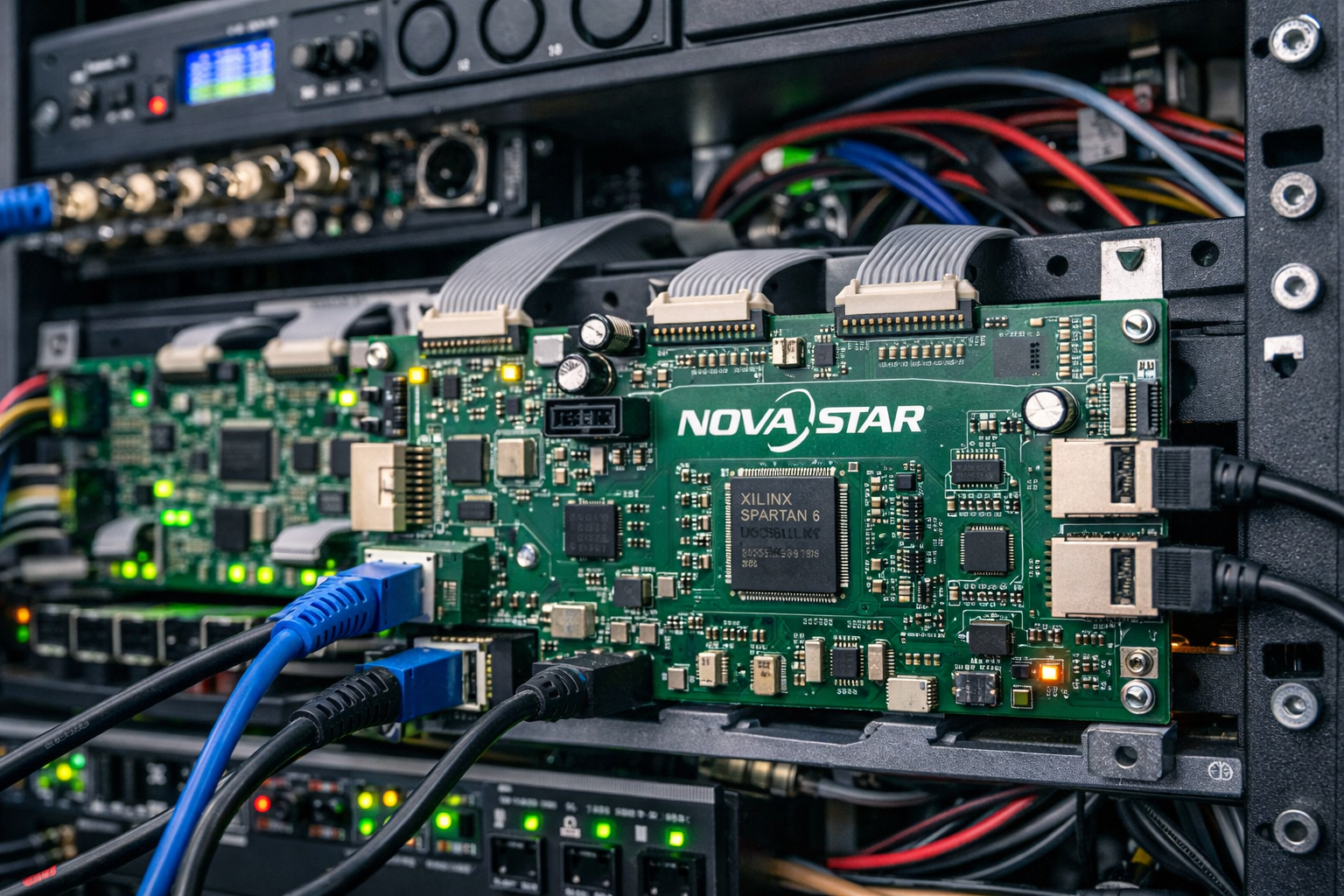
    Among the globally recognized providers of professional LED display control technology is NovaStar, whose solutions are widely used in commercial, broadcast, and outdoor LED display installations worldwide.

    This article provides a technical overview of how LED display control systems work, their core components, and why they are essential for modern LED screen performance.


    What Is an LED Display Control System?

    An LED display control system acts as the central intelligence layer of an LED screen. It receives video or image input from a content sourceโ€”such as a computer, media player, or broadcast systemโ€”and converts that input into structured data that can be understood by individual LED pixels.

    Unlike traditional display technologies, LED screens are modular and scalable. A single display may consist of dozens or hundreds of LED cabinets, each containing multiple modules and thousands of LEDs. The control system ensures that all these components operate as one unified visual surface.

    At a fundamental level, an LED control system is responsible for:

    • Interpreting video signals
    • Mapping content accurately across the display resolution
    • Synchronizing data transmission to all modules
    • Maintaining color, brightness, and grayscale consistency
    • Ensuring stable real-time playback

    Core Components of an LED Display Control System

    Sending Card

    The sending card is the primary interface between the video source and the LED display system. It receives input signals through interfaces such as HDMI, DVI, or DisplayPort and converts them into a format suitable for LED transmission.

    The sending card defines:

    • Screen resolution
    • Frame rate
    • Signal timing
    • Data output structure

    In large or complex installations, multiple sending cards may be used to manage high-resolution or multi-screen configurations.


    Receiving Card

    Receiving cards are installed inside LED cabinets or directly on LED modules. These cards interpret the data sent from the sending card and control the behavior of individual LEDs at the pixel level.

    Each receiving card manages:

    • Pixel color values (red, green, blue)
    • Brightness levels
    • Refresh timing

    Because receiving cards operate close to the LED modules, their stability and accuracy directly affect visual quality.


    Video Processor

    The video processor prepares content before it reaches the LED display. It handles tasks such as:

    • Scaling content to match screen resolution
    • Cropping or splitting images across multiple displays
    • Adjusting frame rates and formats
    • Managing multiple input sources

    Video processors are particularly important in applications involving live video feeds, presentations, or complex content layouts.


    Control and Configuration Software

    Control software provides the interface through which technicians configure and manage the LED display system. Through this software, operators can:

    • Adjust brightness and contrast
    • Perform color calibration
    • Configure screen layouts
    • Monitor system health

    Advanced software platforms also support diagnostics, error reporting, and remote system management.


    Why Control Systems Are Critical to LED Display Performance

    LED displays function as large, distributed systems. Each pixel must operate in perfect coordination with millions of others to produce a seamless image. The control system ensures this synchronization by precisely timing data transmission and pixel refresh cycles.

    Key performance factors governed by control systems include:

    • Refresh rate stability (important for video clarity)
    • Grayscale accuracy (important for smooth gradients)
    • Color uniformity across large surfaces
    • Signal redundancy and error correction

    Without these controls, displays may suffer from flicker, color inconsistency, or image distortion.


    The Role of NovaStar in Professional LED Display Systems

    NovaStar is widely recognized for developing LED display control solutions that support high-performance, large-scale LED installations. Their systems are used across applications such as outdoor advertising, indoor video walls, broadcast studios, and live event displays.

    NovaStar control platforms are known for:

    • Supporting high refresh rates for flicker-free visuals
    • Advanced brightness and color calibration
    • Flexible configuration for irregular or curved screens
    • Stable signal transmission across complex layouts

    These features make NovaStar controllers suitable for both fixed installations and demanding operational environments. More technical information about their solutions can be found on the official NovaStar website.


    Control Systems in Outdoor LED Display Applications

    Outdoor LED displays operate under challenging environmental conditions, including:

    • High ambient temperatures
    • Dust and pollution
    • Seasonal humidity and rainfall
    • Continuous daily operation

    Control systems play a vital role in maintaining consistent brightness and stable performance despite these conditions. They ensure that content remains visible in direct sunlight and synchronized across large screen areas.

    In outdoor LED advertising displays, control systems help manage brightness adjustments, long cable runs, and signal integrity across expansive installations.


    Control Systems in Indoor LED Displays

    Indoor LED displays prioritize image precision rather than sheer brightness. Control systems in indoor environments focus on:

    • Fine grayscale control
    • High color accuracy
    • Seamless image stitching across panels

    These characteristics are essential for applications such as corporate presentations, control rooms, retail displays, and experience centers.


    Control Systems in Transparent LED Displays

    Transparent LED displays present a unique challenge. They must display digital content clearly while preserving transparency and ambient light flow. Control systems manage:

    • Pixel brightness balance
    • Content visibility against changing background light
    • Uniform performance across glass surfaces

    In transparent LED displays, precise signal control ensures that digital visuals integrate naturally with architectural elements.


    Monitoring, Diagnostics, and Preventive Maintenance

    Modern LED control systems include monitoring and diagnostic features that help detect and address issues before they affect display performance. These tools allow operators to:

    • Identify signal interruptions
    • Monitor voltage and temperature levels
    • Detect faulty modules or connections
    • Perform targeted maintenance

    This proactive approach reduces downtime and extends the lifespan of LED installations.


    LED Display Control Systems Within the Broader Display Ecosystem

    An LED display system consists of multiple interconnected components, including panels, power supplies, mounting structures, and content sources. The control system acts as the coordination layer that ensures all these elements work together efficiently.

    Understanding the role of control systems provides insight into why professional LED displays deliver consistent performance over long operational periods.

    For a neutral overview of LED display technology fundamentals, refer to this resource:
    https://en.wikipedia.org/wiki/LED_display


    Conclusion

    LED display control systems form the foundation of modern LED screen performance. By managing how content is processed, synchronized, and displayed across millions of pixels, these systems ensure visual clarity, stability, and reliability. Technologies developed by companies such as NovaStar continue to shape how LED displays operate in commercial, architectural, and outdoor environments.

    A clear understanding of LED display control systems helps businesses, engineers, and planners make informed decisions when designing and deploying professional LED display solutions.
  • How LED Screen Displays Communicate Images: From Pixels to Full-Color Visuals

    How LED Screen Displays Communicate Images: From Pixels to Full-Color Visuals

    Introduction

    LED screen displays have become a common part of modern visual communication, appearing in outdoor advertising, retail environments, corporate spaces, and public infrastructure. While most people interact with these screens daily, fewer understand how LED displays actually produce images and videos. This article explains how LED screen displays convert electrical signals into clear, full-color visuals using pixel-level control and modular design.

    What Makes an LED Screen Different from Traditional Displays?

    Unlike LCD or projection systems, LED screen displays generate light directly from individual light-emitting diodes. Each pixel on an LED display emits its own light rather than relying on a backlight. This fundamental difference allows LED screens to achieve higher brightness, better contrast, and improved visibility in both indoor and outdoor environments.

    Understanding Pixels in an LED Screen Display

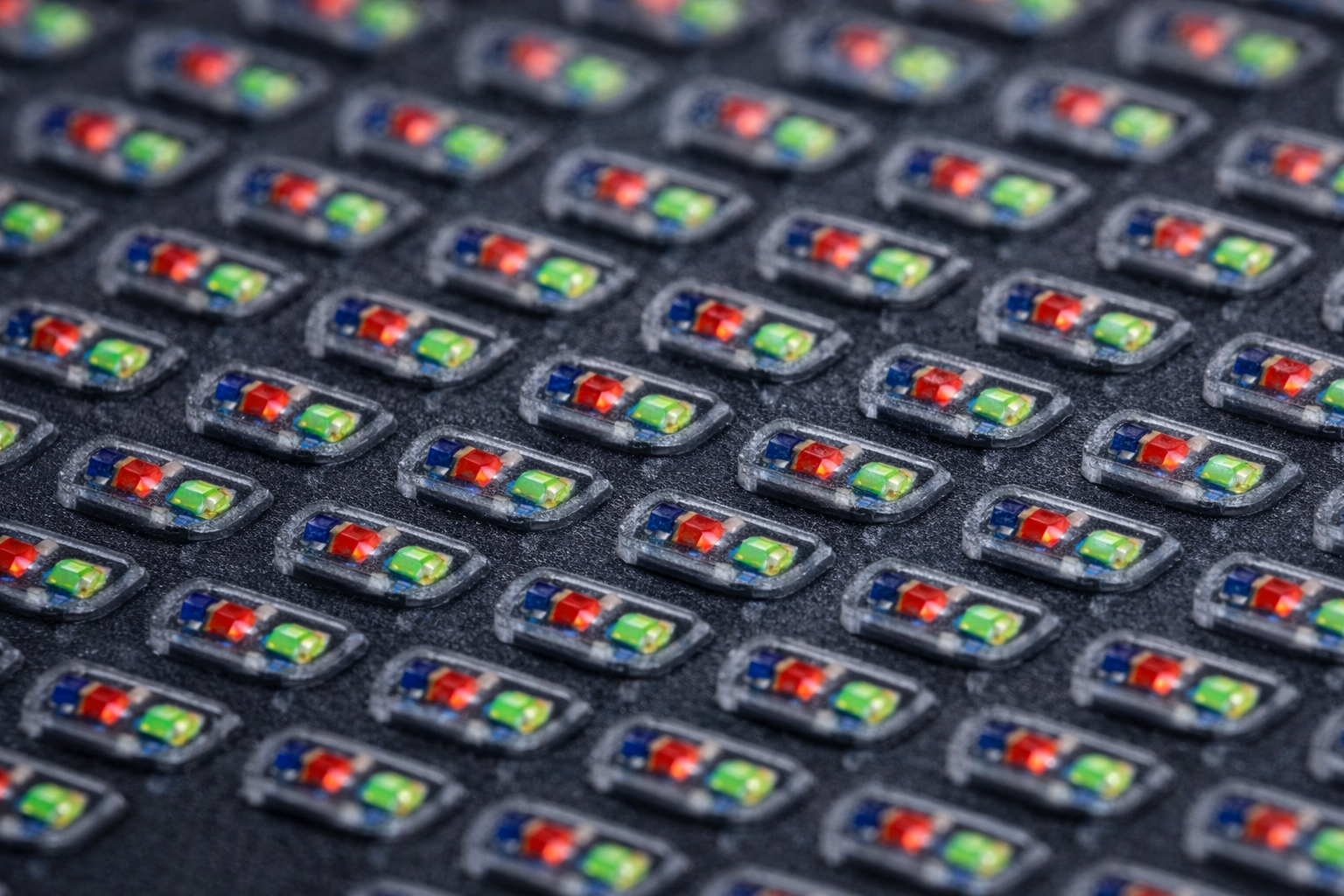
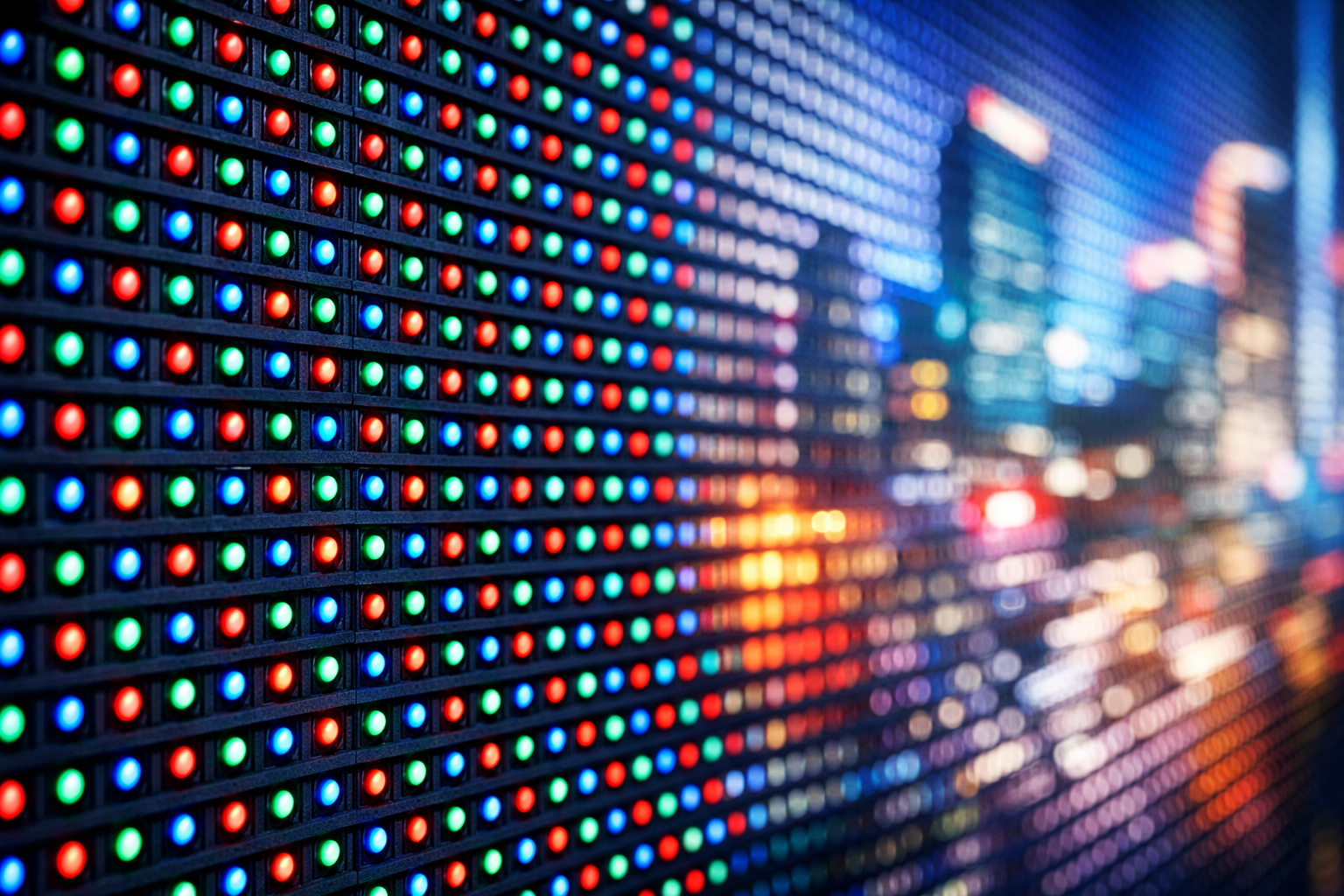
    An LED screen display is made up of thousands or millions of pixels. Each pixel consists of three tiny LEDs:

    • Red
    • Green
    • Blue

    By adjusting the brightness of these three colors at different intensities, the display produces a wide range of colors. When viewed together at normal distances, these individual pixels blend seamlessly into a single image.

    How Images Are Formed on an LED Screen

    Images and videos displayed on an LED screen originate from a digital source such as a media player or computer. The control system processes this content and sends precise electrical signals to each pixel. These signals determine:

    • Which pixels turn on
    • What color each pixel displays
    • How bright each pixel appears

    This process happens continuously and at high speed, allowing LED screens to display smooth motion, animations, and video playback.

    Role of LED Modules in Large Displays

    Large LED screen displays are constructed using smaller units known as LED modules. These modules fit together to form a complete screen of any size or shape. This modular design allows LED displays to scale easily, making them suitable for applications ranging from small indoor video walls to massive outdoor advertising screens.

    Why LED Displays Perform Well in Outdoor Environments

    Because LED pixels emit their own light, LED screen displays maintain visibility even in bright sunlight. Outdoor LED displays are designed with additional protective layers and brightness levels to ensure consistent performance in challenging conditions such as heat, dust, humidity, and rain.

    Color Accuracy and Brightness Control

    Modern LED screen displays use advanced calibration techniques to ensure uniform color and brightness across the entire screen. This is especially important for large installations where visual consistency affects image quality and viewer perception.

    Where This Technology Is Commonly Used

    LED screen display technology is widely applied across retail environments, corporate offices, and control rooms, where indoor LED displays deliver high-resolution visuals for close viewing and detailed content presentation.

    Conclusion

    LED screen displays communicate images by controlling millions of light-emitting pixels with precision and speed. By combining pixel-level color control, modular construction, and direct light emission, LED display technology delivers high-impact visuals across a wide range of environments. Understanding how LED screens work helps businesses and organizations better appreciate the technology behind modern digital displays.

  • LED Screen Display for Advertising in India: Indoor vs Outdoor Use Cases Explained

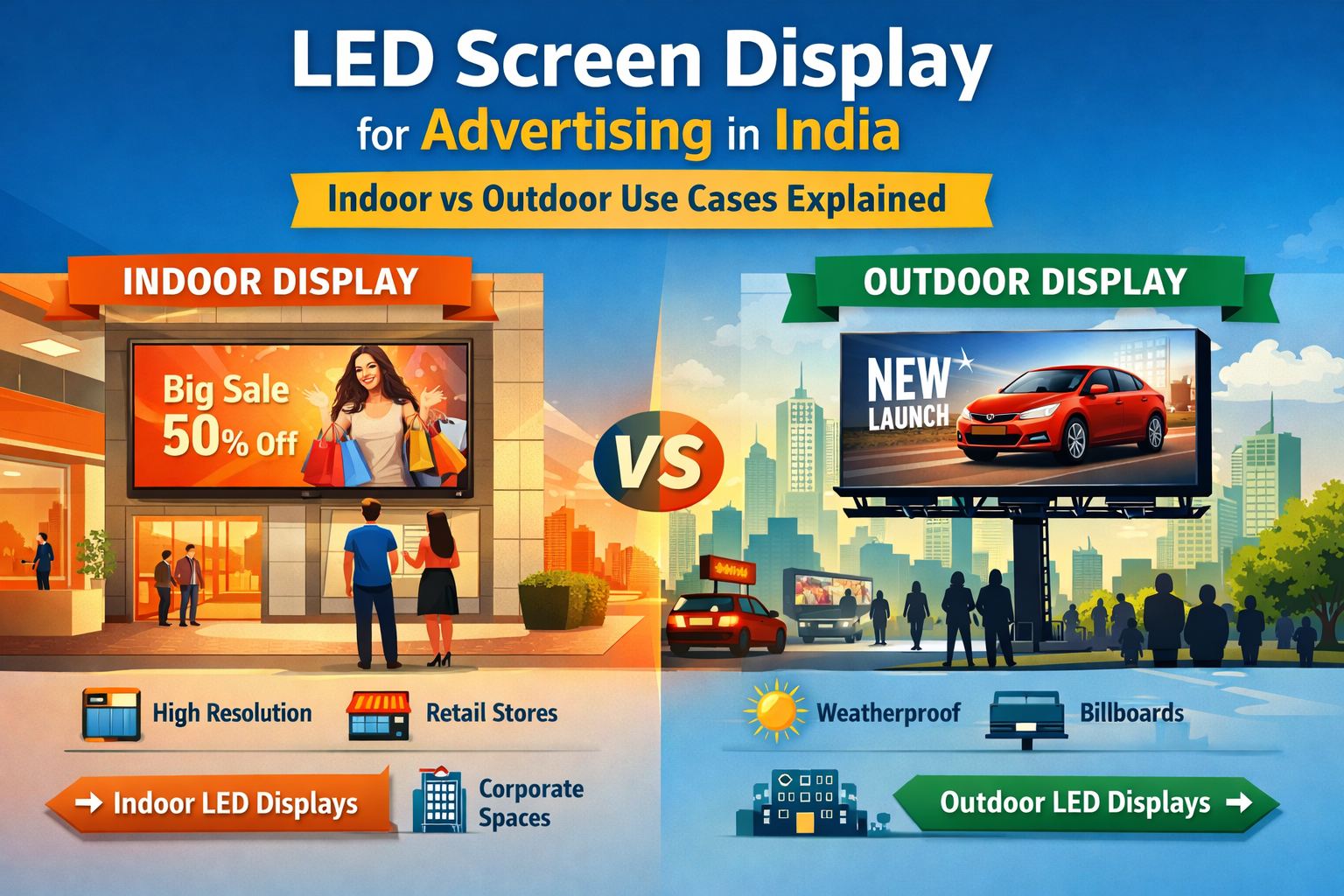
    LED Screen Display for Advertising in India: Indoor vs Outdoor Use Cases Explained

    As businesses across India move toward digital-first advertising, the demand for LED screen displays has grown rapidly. From retail stores and corporate offices to highways and public spaces, LED screens are replacing traditional signage with dynamic, high-impact visuals that attract attention and drive engagement.

    However, one common question businesses face is: Should you choose an indoor or outdoor LED screen display for advertising?
    This guide explains the key differences, use cases, and decision factors to help Indian businesses choose the right LED display solution.

    What Is a Commercial LED Screen Display?

    A commercial LED screen display is a large-format digital display designed specifically for advertising, branding, and information sharing in business environments. Unlike consumer TVs or mobile screens, commercial LED displays are built for:

    • Continuous operation
    • High brightness and visibility
    • Scalability to large screen sizes
    • Long-term reliability in demanding conditions

    In India, LED screen displays are widely used for advertising, digital signage, promotions, and brand communication across indoor and outdoor environments.


    Indoor LED Screen Displays for Advertising

    Indoor LED screen displays are designed for controlled environments where viewers are closer to the screen and visual clarity is critical.

    Common Indoor Use Cases in India

    • Retail stores and shopping malls
    • Corporate offices and boardrooms
    • Showrooms and experience centers
    • Hotels, airports, and event venues

    Indoor LED displays typically feature:

    • High resolution and fine pixel pitch
    • Lower brightness compared to outdoor screens
    • Seamless viewing for close distances

    They are ideal for delivering premium brand visuals, promotional content, presentations, and immersive customer experiences.

    ๐Ÿ‘‰ Explore our Indoor LED Screen Display Solutions


    Outdoor LED Screen Displays for Advertising

    Outdoor LED screen displays are engineered for high visibility in open environments, even under direct sunlight and harsh weather conditions common across India.

    Common Outdoor Use Cases

    • Roadside billboards and highways
    • Building faรงades and commercial complexes
    • Shopping mall exteriors
    • Stadiums, public squares, and transit hubs

    Outdoor LED displays are built with:

    • High brightness levels for sunlight visibility
    • Weather-resistant, IP-rated protection
    • Durable construction for heat, dust, and humidity

    These screens are perfect for large-scale advertising, brand campaigns, and public messaging in high-traffic areas.

    ๐Ÿ‘‰ Explore Outdoor LED Screen Displays for Advertising


    Indoor vs Outdoor LED Screen Display: Key Differences

    FeatureIndoor LED Screen DisplayOutdoor LED Screen Display
    BrightnessModerateVery high (sunlight readable)
    Viewing DistanceClose-rangeLong-range
    Weather ProtectionNot requiredIP-rated, weatherproof
    InstallationInterior spacesOpen and exposed areas
    Best ForRetail, corporate, eventsBillboards, roadside ads, faรงades

    Understanding these differences helps businesses invest in the right LED screen display for advertising rather than overspending or underperforming.


    Which LED Screen Display Is Right for Your Business in India?

    Choosing between indoor and outdoor LED displays depends on:

    • Location of installation (indoor vs outdoor)
    • Viewing distance and audience size
    • Lighting conditions (controlled lighting or direct sunlight)
    • Environmental factors like heat, rain, and dust

    For example:

    • A retail showroom benefits from a high-resolution indoor LED screen display
    • A highway or mall exterior requires a high-brightness outdoor LED advertising display

    Indiaโ€™s climate makes it especially important to choose LED displays engineered for long-term reliability and consistent performance.


    Why LED Screen Displays Are the Future of Advertising in India

    LED screen displays offer clear advantages over traditional signage:

    • Dynamic and engaging visual content
    • Instant content updates without printing costs
    • Higher brand recall and customer engagement
    • Better return on investment over time

    As Digital Out-of-Home (DOOH) advertising continues to expand in India, LED screen displays are becoming an essential tool for modern businesses.


    Conclusion: Invest in the Right LED Screen Display

    Whether you are planning an indoor digital experience or a high-impact outdoor advertising campaign, choosing the right LED screen display for advertising in India is crucial for success.

    By understanding indoor and outdoor use cases, businesses can invest confidently in LED display solutions that deliver visibility, durability, and long-term value.

  • How to Choose the Perfect LED Display Solution for Your Business in 2026

    How to Choose the Perfect LED Display Solution for Your Business in 2026

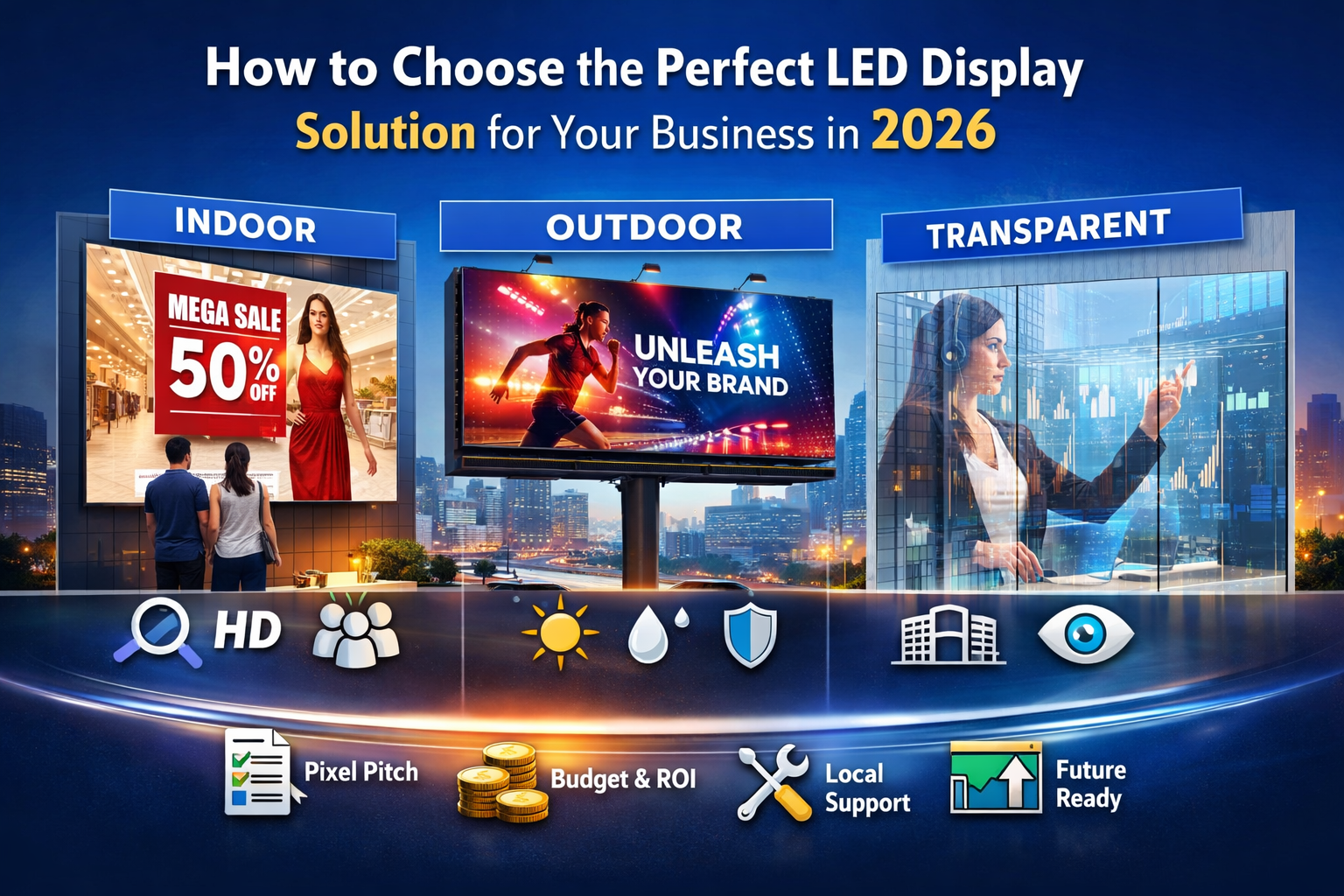
    In 2026, businesses are no longer just choosing screens โ€” they are choosing strategic display solutions that communicate, engage, and convert. From retail stores and corporate offices to high-impact outdoor advertising, the right LED display can define your brandโ€™s visual presence.

    But with so many options, how should Indian businesses choose the right LED display solution?

    This guide breaks down key considerations, real use cases, and how to match your business needs with the right LED display technology.


    1. Understand Your Display Purpose

    Before selecting a product, ask:

    • What is the main objective? (Advertising, branding, information, entertainment)
    • Where will the display be installed? (Indoor, outdoor, storefront, high footfall areas)
    • How close will the audience be?

    Your answers will determine the type of display best suited for your environment.


    2. Indoor vs Outdoor: Which One Do You Need?

    Indoor LED Displays

    Indoor LED walls are ideal for:

    • Retail stores
    • Corporate lobbies
    • Conference halls
    • Event stages

    These displays deliver high-resolution visuals at close viewing distances.

    ๐Ÿ‘‰ Explore our indoor options:

    Indoor LED walls are preferred for their clarity, pixel density, and immersive experience โ€” perfect for spaces where audiences are nearby and detail matters.


    Outdoor LED Displays

    Outdoor LED displays are built to withstand harsh weather and bright sunlight, making them perfect for:

    • Roadside billboards
    • Shopfront signage
    • Transit hubs
    • Stadium exteriors

    ๐Ÿ‘‰ Our outdoor options include:

    These displays are engineered for high brightness, durability, and continuous operation โ€” essential for demanding outdoor environments.


    3. Transparent LED Displays: When Innovation Meets Visibility

    Transparent LED displays are perfect for modern architectural spaces where maintaining visibility without compromising messaging is key.

    ๐Ÿ‘‰ Check out:

    These displays allow natural light to enter while delivering dynamic content, making them perfect for:

    • Storefront windows
    • Corporate headquarters
    • Showrooms

    Transparent LED displays combine visibility with aesthetics, letting brands communicate without blocking sightlines.


    4. Viewing Distance & Pixel Pitch: Match Precision to Purpose

    A key factor in choosing any LED display is pixel pitch, which defines:

    • How close the audience will be viewing the screen
    • The desired clarity and resolution

    For example:

    • Indoor displays like the IEC Series are optimized for close-up viewing
    • Outdoor displays like the AP Series are designed for visibility from longer distances

    ๐Ÿ‘‰ For a deeper guide on pixel pitch, see our blog:
    Pixel Pitch Explained: How to Choose the Right LED Video Wall Resolution


    5. Budget vs Value: What to Invest In

    While itโ€™s natural to consider price, the smarter investment is in value and performance:
    โœ” Weather-proofing and long lifespan
    โœ” Energy efficiency
    โœ” Brightness and contrast suitable for your environment
    โœ” Local support and maintenance

    LED displays like the Diamond Outdoor LED Display and WP Series Indoor Displays are designed to reduce long-term costs through reliability and durability.


    6. Local Support: A Critical Advantage in India

    Choosing a vendor with on-ground support makes a big difference:

    • Faster installations
    • Rapid technical troubleshooting
    • Regional climate expertise

    At Gleam LED, we understand Indian environmental challenges โ€” from intense sun to monsoon humidity โ€” and deliver solutions that stand the test of time.


    7. Future-Proof Your Display Investment

    As digital environments evolve, your display should too. Look for:
    ๐Ÿ“Œ Scalable systems
    ๐Ÿ“Œ Modular components for easy upgrades
    ๐Ÿ“Œ Compatibility with content management systems

    This preparation ensures your investment stays relevant across:

    • Brand campaigns
    • Product launches
    • Seasonal promotions

    Conclusion: Choose with Clarity

    Selecting the perfect LED display isnโ€™t just about the hardware โ€” itโ€™s about aligning the displayโ€™s strengths with your business goals.

    Whether you need:
    ๐ŸŒŸ an Indoor LED Display for immersive customer experiences
    โ˜€๏ธ a High-Brightness Outdoor LED Display for impactful brand visibility
    โœจ a Transparent LED Display that blends design with digital messaging

    Gleam LED has the right solution for Indiaโ€™s dynamic business landscape.

    ๐Ÿ‘‰ Explore all our LED display solutions here:
    https://gleamled.com/our-products/

  • Pixel Pitch Explained: How to Choose the Right LED Video Wall Resolution for Your Business

    Pixel Pitch Explained: How to Choose the Right LED Video Wall Resolution for Your Business

    When businesses invest in an LED video wall, one technical term often creates confusion โ€” pixel pitch.
    Many buyers assume that โ€œsmaller is always better,โ€ but in reality, choosing the wrong pixel pitch can lead to unnecessary costs or poor viewing experience.

    In this guide, we break down what pixel pitch means, how it affects performance, and how Indian businesses can choose the right LED video wall resolution based on real-world use cases.


    What Is Pixel Pitch in an LED Video Wall?

    Pixel pitch refers to the distance (in millimeters) between the centers of two adjacent pixels on an LED display.

    Example:

    • P1.5 = 1.5 mm distance between pixels
    • P3 = 3 mm distance between pixels

    ๐Ÿ‘‰ Smaller pixel pitch = higher resolution = closer viewing distance

    Understanding pixel pitch is critical because it directly impacts:

    • Image clarity
    • Viewing comfort
    • Cost of the LED video wall

    Why Pixel Pitch Matters More Than Screen Size

    Many businesses focus only on screen size, but pixel pitch determines how sharp the content actually looks.

    • A large LED screen with the wrong pixel pitch can appear blurry
    • A smaller screen with the right pixel pitch can deliver stunning clarity

    This is especially important for indoor LED video walls, where viewers stand closer to the screen.

    ๐Ÿ‘‰ Related read:
    Beyond 4K: How Small Pixel Pitch LED Displays are Transforming Indoor Spaces


    Common Pixel Pitch Options & Their Ideal Use Cases

    1๏ธโƒฃ Small Pixel Pitch (P0.9 โ€“ P1.8)

    Best for close viewing

    Ideal for:

    • Corporate boardrooms
    • Control rooms
    • Premium retail stores
    • Broadcast studios

    Benefits:

    • Ultra-sharp visuals
    • Seamless content display
    • Best for text-heavy or data-rich content

    This is why high-resolution indoor LED video walls are rapidly replacing LCD video walls in Indian retail and corporate spaces.


    2๏ธโƒฃ Medium Pixel Pitch (P2 โ€“ P3)

    Best balance of cost and clarity

    Ideal for:

    • Shopping malls
    • Conference halls
    • Hotels
    • Educational institutions

    Benefits:

    • Excellent clarity at moderate distances
    • Cost-effective for larger screen sizes
    • Popular choice for Indian commercial interiors

    3๏ธโƒฃ Large Pixel Pitch (P4 and above)

    Best for long viewing distances

    Ideal for:

    • Outdoor LED advertising
    • Stadiums
    • Roadside billboards
    • Large event displays

    Benefits:

    • High brightness
    • Lower cost per square foot
    • Optimized for visibility rather than fine detail

    Pixel Pitch vs Viewing Distance: A Simple Rule

    A practical rule many LED experts follow:

    Minimum viewing distance (in meters) โ‰ˆ pixel pitch (in mm)

    Example:

    • P2 display โ†’ ideal viewing distance ~2 meters
    • P4 display โ†’ ideal viewing distance ~4 meters

    Choosing the right pixel pitch ensures:
    โœ” Comfortable viewing
    โœ” Better content impact
    โœ” No wasted investment


    Cost Considerations: Donโ€™t Overpay for Resolution You Donโ€™t Need

    Smaller pixel pitch LED displays:

    • Require more LEDs per square meter
    • Increase hardware and processing costs
    • Increase installation complexity

    Thatโ€™s why buying the smallest pixel pitch without considering usage can reduce ROI.


    Pixel Pitch & Long-Term Reliability

    Higher-resolution LED walls also require:

    • Better heat management
    • Reliable power supply
    • Proactive maintenance

    Ignoring this can lead to downtime and higher lifecycle costs.

    ๐Ÿ‘‰ Read more:
    The Hidden Costs of Downtime: A 2026 Guide to LED Maintenance and Reliability


    How Indian Businesses Should Choose Pixel Pitch

    Before finalizing an LED video wall, ask these questions:

    1. How close will viewers stand to the screen?
    2. Is the display indoor or outdoor?
    3. Will the content include text, data, or close-up visuals?
    4. Is ROI more important than ultra-high resolution?

    Choosing based on application, not just specifications, delivers the best results.


    Final Thoughts

    Pixel pitch is not just a technical number โ€” it defines how effective your LED video wall will be.
    By selecting the right resolution based on viewing distance, environment, and content, businesses can achieve maximum visual impact without unnecessary costs.

    ๐Ÿ‘‰ For expert guidance and customized LED video wall solutions, explore GleamLED at https://gleamled.com