Category: LED Display Specs & Technology

  • LED Video Wall Flicker on Camera? How to Fix Banding Lines (Refresh Rate, Scan Rate & Shutter Speed)

    LED Video Wall Flicker on Camera? How to Fix Banding Lines (Refresh Rate, Scan Rate & Shutter Speed)

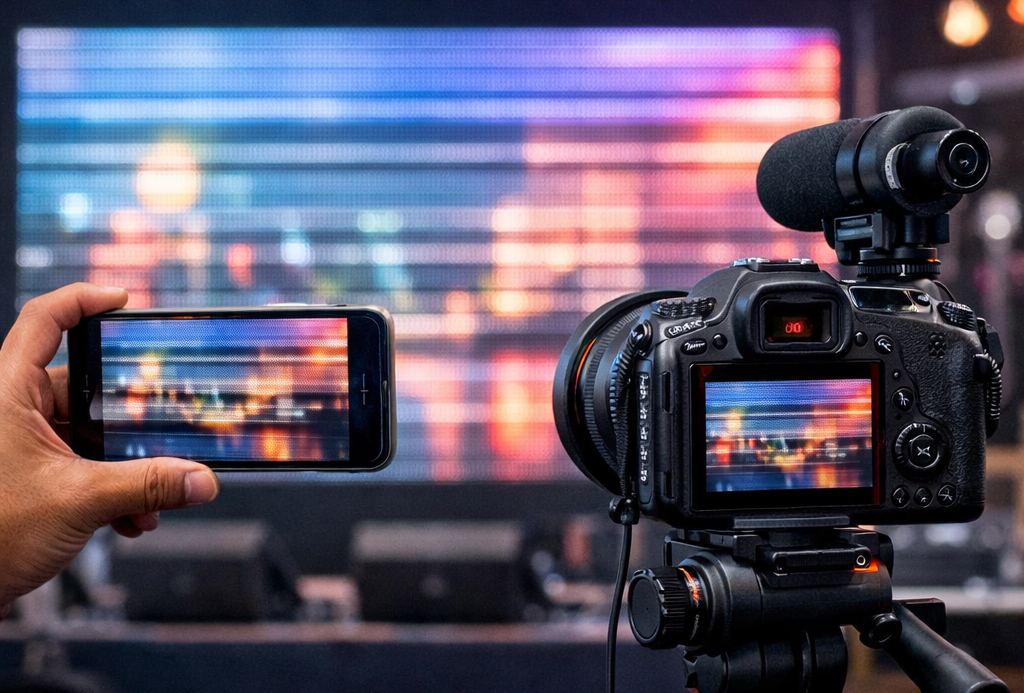
    Your LED video wall looks amazing in person, but the moment you record it on a phone or camera, you see moving black lines, rolling bands, or a pulsing flicker. If you’ve searched things like “LED wall banding lines on camera” or “LED video wall flickering in iPhone video”, this guide is for you.

    The good news: in most cases, the screen is not “faulty.” The issue is usually a mismatch between the LED wall’s driving behavior and the camera’s frame capture.

    In this post, you’ll learn:

    • why an LED video wall flickers on camera
    • what LED display refresh rate really means
    • how scan rate and driver IC affect banding
    • the best camera settings to stop LED wall flicker
    • what to ask for when buying a camera-friendly LED video wall for filming

    Why does an LED video wall flicker on camera?

    Most LED walls control brightness using fast electronic pulses. Your eyes naturally “average” these pulses, so the image looks stable. But cameras capture video in frames, often using rolling shutter—so they can record the LED’s pulse/scan behavior as bands or flicker.

    Common symptoms:

    • black lines on LED screen when recording video
    • LED wall flicker in phone camera
    • LED display banding in DSLR / mirrorless
    • LED wall looks fine to eye but flickers on video
    • rolling lines on LED screen in video

    The 3 real causes of LED wall banding and flicker

    If you want a flicker-free LED video wall for live streaming or stage filming, you need these three things to work together:

    1. LED display refresh rate (Hz)
    2. LED module scan rate / driving method (1/8, 1/16, 1/32 scan)
    3. Camera frame rate + shutter speed (your filming settings)

    Let’s break it down.


    1) LED display refresh rate explained (and why it’s not the whole story)

    Refresh rate is how many times per second the LED wall updates the image. Higher is generally better for filming.

    You’ll often see:

    • 1920Hz refresh rate
    • 3840Hz refresh rate LED wall
    • 7680Hz LED screen refresh rate

    Long-tail takeaway

    If filming matters, ask specifically for a high refresh rate LED video wall for camera recording.

    But here’s the catch: even with high refresh rate, some walls still show banding because of scan rate and driving electronics.


    2) LED scan rate and driver IC (the “hidden” reason flicker happens)

    LED modules often use scanning (driving LEDs in groups rather than continuously). That’s why you’ll see specs like:

    • 1/8 scan LED module
    • 1/16 scan LED display
    • 1/32 scan LED panel

    Why scan rate matters for cameras

    Two LED walls can both claim “3840Hz refresh rate” and still behave differently on video because the scan rate and driver IC influence how the LEDs are pulsed.

    If you care about video performance, ask your supplier:

    • What is the refresh rate (Hz)?
    • What is the scan rate (1/8, 1/16, 1/32)?
    • Which driver IC is used?
    • Can you share a camera test video (phone + DSLR) showing no banding?

    If you’re exploring product categories, start here and narrow down by use case:


    3) Best camera settings to stop LED wall flicker (iPhone, Android, DSLR)

    If you need a quick on-site fix, camera settings can solve a big part of the problem.

    Best shutter speed for filming an LED video wall in India (50Hz)

    In India (50Hz region), these combinations often reduce banding:

    For iPhone / Android (Pro mode or manual camera app):

    • 25fps + 1/50 shutter
    • 50fps + 1/100 shutter
    • Lock exposure (avoid auto brightness changes)

    For DSLR / mirrorless:

    • Start with 25fps at 1/50
    • Or 50fps at 1/100
    • Avoid very fast shutters unless necessary (fast shutters can reveal scan artifacts)

    Long-tail phrases people search:

    • best shutter speed for filming LED wall
    • how to stop LED screen flicker on iPhone
    • LED video wall banding fix
    • rolling shutter lines LED screen

    LED video wall flicker fix checklist (practical steps)

    Step 1: Identify what you’re seeing

    • Moving black bands → shutter + scan mismatch
    • Brightness pulsing → auto exposure or PWM dimming behavior
    • Shimmer patterns → moiré (often pixel pitch + distance related)

    Step 2: Lock filming settings (don’t leave on auto)

    • Lock FPS and shutter speed
    • Start with 25fps/1-50 or 50fps/1-100
    • Lock exposure and ISO if possible

    Step 3: Check LED wall output stability

    • Ensure the controller/processor output is stable
    • Avoid resolution switching or unstable sources
    • Don’t run brightness extremely low during filming if possible

    Step 4: If it still bands, it’s a spec/design limitation

    That’s when you need a more camera-friendly LED display:

    • higher refresh rate
    • better driver IC
    • more camera-friendly scan design
    • higher-quality controller/processor

    What to ask before buying a camera-friendly LED video wall (RFQ checklist)

    If your LED wall will be used for:

    • stage events
    • product launches
    • retail reels and influencer filming
    • corporate townhalls
    • houses of worship live streaming
    • studio or broadcast

    …add these questions before you finalize:

    Ask for proof (not just numbers)

    • “Can you share a phone video test showing no banding?”
    • “Can you share a DSLR/mirrorless test as well?”
    • “What are the refresh rate and scan rate for this module?”
    • “Which driver IC is used?”
    • “Which processor/controller is recommended for flicker-free filming?”

    Also confirm installation readiness

    If installation and stability are part of your project, these guides help avoid surprises:


    Best LED video wall for retail showroom filming (phones + reels)

    Retail showrooms are a special case because customers constantly record the display.

    If you need an LED video wall for retail showroom filming, use this approach:

    • choose camera-friendly specs (refresh rate + driver IC)
    • test with both iPhone and Android before final handover
    • avoid very low brightness during filming
    • use content with clean shapes (thin lines can shimmer on camera)

    Indoor category options:


    Best LED video wall for stage events and live streaming

    For events and live feeds, you need a flicker-free LED wall for stage and cameras.

    Checklist:

    • confirm high refresh rate + stable controller/processor
    • ask for a real camera test (not just a spec sheet)
    • use filming settings aligned with 50Hz regions

    For outdoor venues or bright environments:

    Frequently Asked Questions

    Why does my LED wall flicker only on iPhone but not Android?

    Phones use different rolling shutter behavior and exposure processing. Try manual settings and lock FPS + shutter.

    Is 3840Hz refresh rate enough for filming an LED video wall?

    Often yes, but scan rate and driver IC can still cause banding. Always verify with a camera test video.

    What is the best shutter speed for filming an LED video wall?

    In 50Hz regions, start with 1/50 at 25fps or 1/100 at 50fps, then fine-tune if needed.

    How do I stop black lines on an LED screen while recording video?

    Lock exposure, set a compatible FPS/shutter speed, and ensure the LED wall is built for camera-friendly driving.
  • IP Rating for LED Displays Explained: What IP65, IP54 & IP67 Actually Mean

    IP Rating for LED Displays Explained: What IP65, IP54 & IP67 Actually Mean

    If you’re comparing LED display screens, you’ve probably seen specs like IP65, IP54, or IP67. These numbers matter more than most people realize. The wrong IP rating can lead to water damage, dust buildup, early failures, and expensive downtime.

    This guide explains:

    • What IP rating means
    • How to read IP codes
    • Which IP rating you need for indoor vs outdoor LED displays
    • Common mistakes buyers make
    • How to choose the right protection level for your project

    What Is an IP Rating?

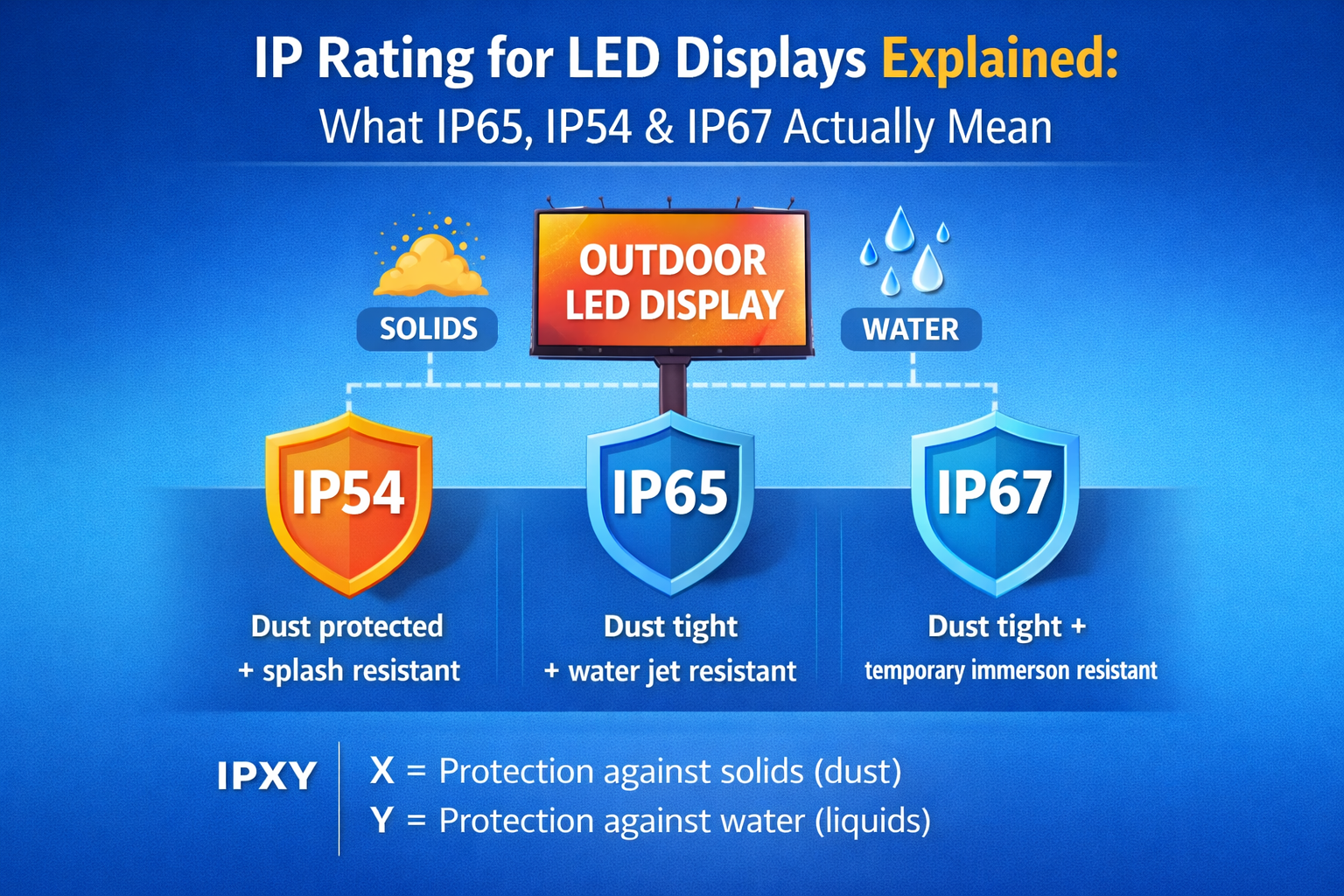
    An IP rating (Ingress Protection rating) tells you how well an electronic device is protected against dust (solid particles) and water (liquids). It’s written as IPXY, where:

    • X = protection against solids (dust)
    • Y = protection against liquids (water)

    For LED display screens, IP ratings are critical because these systems often operate 24/7 in environments with dust, humidity, rain, or cleaning sprays.


    How to Read IP Codes (IP65, IP54, IP67)

    Here’s what the two digits mean:

    First Digit (Solids Protection):

    • 5 = Dust protected (limited dust ingress allowed)
    • 6 = Dust tight (no dust ingress)

    Second Digit (Liquids Protection):

    • 4 = Splashing water
    • 5 = Water jets
    • 7 = Temporary immersion

    So:

    • IP54 = limited dust protection + splash resistance
    • IP65 = dust tight + protected against water jets
    • IP67 = dust tight + temporary immersion protection

    Why IP Rating Matters for LED Displays

    1) Prevents Environmental Damage

    Dust and moisture can damage LED modules, power supplies, and controllers. A proper IP rating prevents corrosion and electrical shorts.

    2) Reduces Downtime & Maintenance

    Better protection means fewer failures and less frequent servicing — especially important for public-facing displays.

    3) Ensures Long-Term Reliability

    Outdoor and semi-outdoor LED screens live in harsh conditions. IP ratings are a big factor in how long your display will last.


    Which IP Rating Do You Need?

    Indoor LED Displays

    Most indoor LED display screens operate in controlled environments (malls, offices, showrooms). These usually require moderate IP ratings because they’re protected from rain and dust.

    Best for:

    • Corporate lobbies
    • Retail interiors
    • Experience centers
    • Control rooms

    Outdoor LED Displays

    Outdoor LED display screens face rain, dust, heat, and sometimes direct water jets during cleaning. These require high IP ratings to survive real-world conditions.

    Best for:

    • Billboards
    • Building facades
    • Stadiums
    • Public advertising

    Semi-Outdoor / Glass-Facing Installations

    Displays near entrances, atriums, or glass areas may be exposed to humidity and splashes. Projects that combine transparent LED display solutions on glass with solid-wall displays nearby should align IP ratings across zones to ensure consistent reliability.


    Common IP Ratings You’ll See on LED Displays

    IP RatingWhat It Protects AgainstTypical Use
    IP54Dust + splashesIndoor public areas
    IP65Dust tight + water jetsOutdoor displays
    IP67Dust tight + immersionSpecial environments

    Tip: Outdoor LED displays often need higher front-side IP protection than the rear, depending on mounting and exposure.


    Common Mistakes Buyers Make

    • Choosing low IP ratings for outdoor installations
    • Assuming “semi-outdoor” doesn’t need water protection
    • Ignoring rear-side protection when mounting near walls
    • Not considering cleaning methods (water jets need higher protection)
    • Overpaying for extreme IP ratings where they aren’t needed

    How to Choose the Right IP Rating for Your Project

    Ask these questions before finalizing specs:

    • Is the display fully indoor, semi-outdoor, or outdoor?
    • Will it face rain, dust, or cleaning sprays?
    • Is the rear of the display exposed?
    • What’s the local climate (humidity, dust levels)?
    • Will maintenance teams use water to clean the surface?

    If your project mixes environments (e.g., storefront glass + exterior wall), compare transparent LED display solutions with outdoor LED display screens to match protection levels correctly.


    Final Thoughts

    IP rating isn’t just a technical detail — it directly impacts performance, reliability, and total cost of ownership for LED display screens. Choosing the right IP protection helps your indoor displays stay clean and your outdoor displays survive real-world weather without frequent repairs.

    If you’re planning a project, compare indoor LED display screens and ip-rating-for-led-displays based on their IP ratings before you decide.

  • What Is Brightness (Nits) in LED Displays? How Much Brightness Do You Really Need?

    What Is Brightness (Nits) in LED Displays? How Much Brightness Do You Really Need?

    When researching LED display screens, one technical specification appears everywhere: brightness, usually measured in nits. Many buyers assume that higher brightness is always better — but that’s not always true.

    Choosing the wrong brightness level can lead to poor visibility, unnecessary power consumption, glare for viewers, or even long-term performance issues. In this guide, we’ll explain what brightness (nits) in LED displays means, why it matters, and how to choose the right brightness level for transparent LED displays, indoor LED video walls, and outdoor LED display screens.

    What Is Brightness (Nits) in LED Displays?

    Brightness refers to how much light an LED display emits. It is measured in nits, which represent the amount of light output per square meter of the display surface.

    In simple terms:

    Higher nits = brighter LED screen

    Brightness determines how clearly your content can be seen under different lighting conditions, such as indoor lighting, storefront glass with sunlight, or outdoor daylight.

    Why Brightness Matters in LED Displays

    1. Visibility in Different Environments

    An LED display installed in a bright environment needs higher brightness to remain visible. For example, displays placed near windows or on glass facades compete with natural sunlight.

    2. Content Readability

    Text, logos, and videos must remain clear and readable. If brightness is too low, content looks washed out. If it’s too high for indoor spaces, it can cause glare and discomfort.

    3. Viewer Comfort

    Excessively bright LED displays in indoor environments can strain the eyes, especially in offices, showrooms, and experience centers where people spend longer time near the screen.

    Brightness Requirements by LED Display Type

    Transparent LED Displays

    Transparent LED displays are commonly installed on glass storefronts and building facades. Since sunlight passes through the glass and the LED structure itself, these displays require higher brightness to remain visible during the day.

    Transparent LED screens are ideal for modern retail windows and commercial buildings where you want digital content without blocking visibility.

    Indoor LED Displays

    Indoor LED displays are typically installed in controlled lighting environments such as showrooms, corporate lobbies, conference rooms, and experience centers. These spaces do not require extremely high brightness.

    Using very high brightness indoors can cause glare and unnecessary power consumption.

    Outdoor LED Displays

    Outdoor LED displays are exposed to direct sunlight and must remain visible during the day. This means they require significantly higher brightness compared to indoor displays.

    Outdoor LED screens are commonly used for billboards, building facades, stadiums, and public advertising.

    How Much Brightness Do You Really Need?

    There is no one-size-fits-all brightness level. The right brightness depends on where and how the LED display will be used.

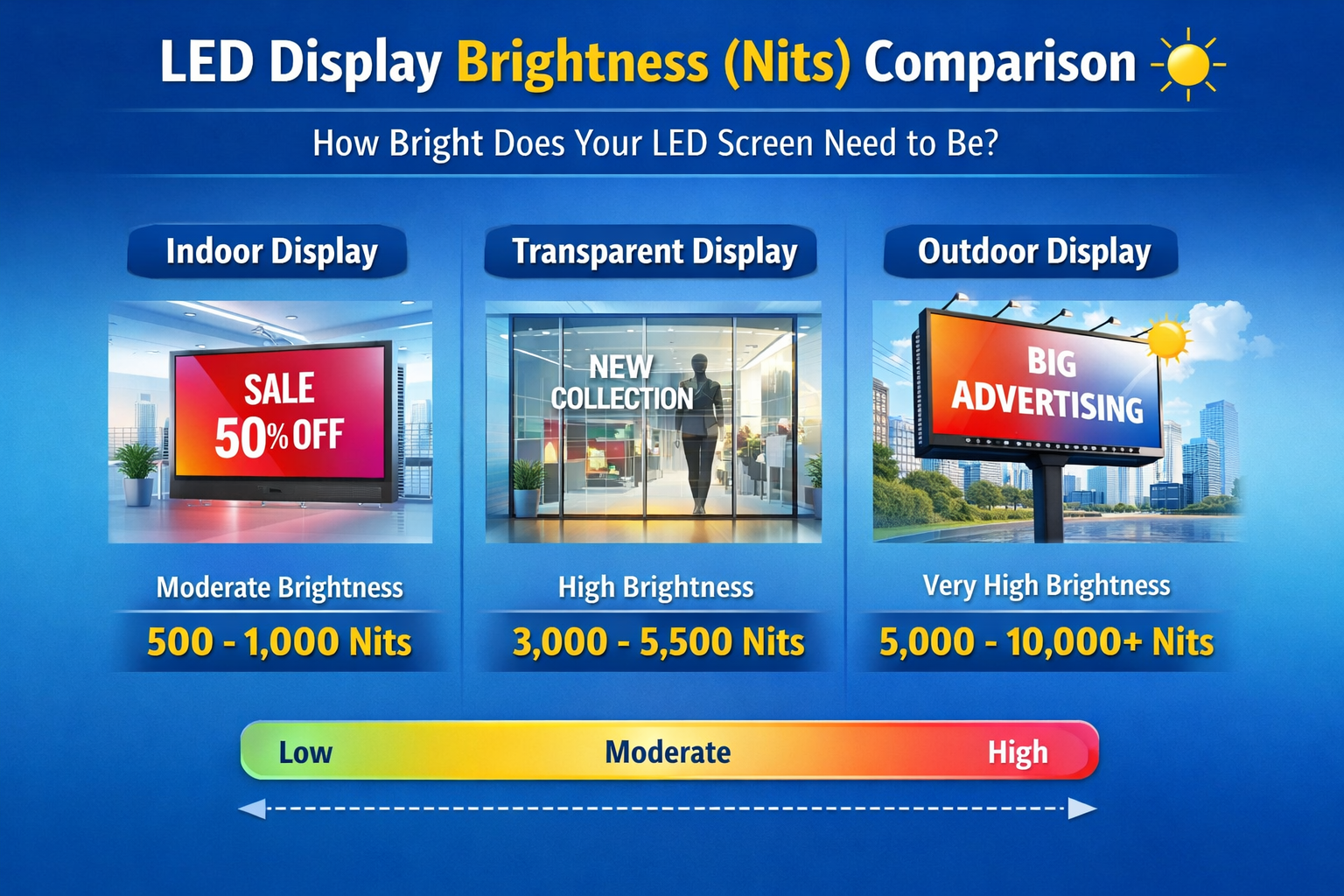
    Here’s a general guideline:

    Installation EnvironmentTypical Brightness Requirement
    Indoor spacesModerate brightness
    Glass storefronts / facadesHigher brightness
    Outdoor daylight environmentsVery high brightness

    Instead of choosing the highest brightness available, match the brightness level to your environment. This improves performance and reduces unnecessary energy usage.

    Common Mistakes When Choosing LED Display Brightness

    • Choosing extremely high brightness for indoor LED displays
    • Underestimating brightness needed for glass storefront installations
    • Ignoring sunlight direction and ambient lighting
    • Not considering power consumption and heat generation
    • Assuming higher brightness always means better quality

    How to Choose the Right Brightness for Your LED Display Project

    Before finalizing your LED display, consider:

    • Installation location: indoor, glass facade, or outdoor
    • Ambient light conditions: how much natural light hits the screen
    • Viewing distance: closer viewing requires balanced brightness
    • Content type: text and detailed visuals need better contrast
    • Operating hours: higher brightness increases power usage over time

    Consulting with an LED display expert can help you avoid over-specifying brightness and overspending on hardware you don’t need.

    Brightness vs Other LED Display Specifications

    Brightness works together with other important specifications such as:

    • Pixel pitch (affects clarity and viewing distance)
    • Refresh rate (affects smoothness and camera flicker)
    • Contrast ratio (affects image depth and readability)

    Balancing all three ensures your LED display performs well in real-world conditions, not just on a spec sheet.

    Final Thoughts

    Brightness (nits) is one of the most important factors when selecting an LED display — whether you’re installing a transparent LED screen on a glass storefront, an indoor video wall in a showroom, or an outdoor LED billboard.

    Choosing the right brightness ensures your content remains visible, comfortable to view, and energy-efficient over the long term.

    If you’re unsure what brightness level is right for your project, contact Gleam LED for expert guidance.

  • What Is a Transparent LED Display Screen? A Complete Guide for Glass Facades & Storefronts

    What Is a Transparent LED Display Screen? A Complete Guide for Glass Facades & Storefronts

    Transparent LED display screens are rapidly becoming the preferred digital signage solution for glass storefronts, commercial buildings, and modern architectural spaces. Unlike traditional LED walls that block views and light, transparent LED displays allow people to see through the screen while displaying bright digital content.

    In this guide, we explain what transparent LED display screens are, how they work, where they are used, and how to choose the right transparent LED solution in India.


    What Is a Transparent LED Display Screen?

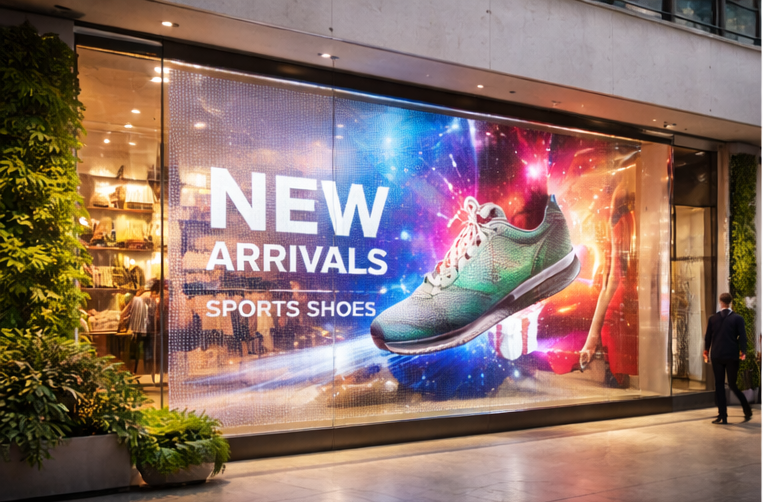
    A transparent LED display screen is a see-through digital display made of LED strips mounted on a lightweight structure. These displays are designed to be installed on glass surfaces such as storefront windows, building facades, and interior glass partitions.

    They maintain transparency while displaying videos, images, and dynamic content.


    How Transparent LED Displays Work on Glass

    Transparent LED displays use spaced LED modules that allow light to pass through the screen. This design makes them ideal for applications where maintaining visibility and natural light is important, such as retail windows and building facades.


    Where Transparent LED Screens Are Used


    Transparent LED vs Regular LED Displays

    Transparent LED displays are designed for glass and architectural integration, while regular LED displays are best suited for walls and enclosed spaces. Transparent LED screens maintain visibility and aesthetics, making them ideal for premium branding.


    Benefits of Transparent LED Display Screens

    • See-through design
    • Modern, premium appearance
    • High brightness for daylight visibility
    • Custom sizing for glass facades
    • Energy-efficient technology

    How to Choose the Right Transparent LED Display in India

    • Installation environment
    • Location (indoor vs outdoor)
    • Glass size and structure
    • Brightness requirements
    • Viewing distance

    Transparent LED display screens offer a powerful way to combine digital advertising with modern architecture. If you’re planning to install a transparent LED display on your glass facade or storefront, Consult a Gleam LED expert to choose the right configuration.

  • Transparent LED Screen Technology : Specs That Matter + LUCID Series Technical Guide

    Transparent LED Screen Technology : Specs That Matter + LUCID Series Technical Guide

    A transparent LED screen is built to display high-impact content on glass while keeping visibility through the window. It’s ideal for storefront glass, retail windows, mall atriums, and building facades where a normal LED wall would block the interior.

    In this guide, you’ll learn how transparent LED works, what specifications actually mean, and how to choose the right configuration—using the LUCID Transparent LED Display as a real reference.


    1) What is a Transparent LED Screen?

    A transparent LED screen uses LED pixels mounted on slim strips or a grille-like structure, leaving space between pixels. That open area is what creates the “see-through” effect.

    Unlike regular indoor LED walls, transparent LED is a balance of:

    • Transparency % (how much you can see through)
    • Brightness (nits) (daylight impact)
    • Pixel pitch (clarity and viewing distance)
    • Service access + installation method (maintenance and long-term uptime)

    2) How Transparent LED is Built (Simple Technical Breakdown)

    Pixel strips + open area design

    Transparent LED panels commonly use thin PCB strips with LEDs placed at a fixed pitch. The gaps between strips increase transparency.

    Cabinet / panel system

    Most commercial installs use standardized panels (cabinets) that join together to form custom sizes.
    For example, LUCID uses a cabinet/panel format designed for architectural glass installs.

    Control system (processor + sending/receiving)

    Like other LED displays, transparent LED requires a controller/video processor setup and proper signal distribution. This matters more on facades/atriums where cable runs can be longer.

    If you want to see common application setups, check Transparent LED solutions.


    3) LUCID Transparent LED Specs (Real Example from a Transparent LED Product)

    Below are key technical parameters from the LUCID Series to help you understand what to compare when evaluating transparent LED.

    Reference product: LUCID Transparent LED Display

    Pixel pitch & resolution

    • Pixel pitch: 3.91 / 7.8 mm (L3 and L3-Pro)
    • Pixel density: 32,768 pixels/㎡
      What it means: This pitch is typically chosen for storefronts, showrooms, and glass installs where the viewing distance is not extremely close.

    Brightness (nits)

    • L3 brightness: 800 nits
    • L3-Pro brightness: 4,200 nits
      What it means: Brightness should be selected based on whether your glass faces daylight and how strong the ambient light is.

    Transparency rate

    • Transparency: 60% (L3 and L3-Pro)
      What it means: You keep visibility through the glass while still showing content (actual perceived transparency also depends on content colors and brightness settings).

    Refresh rate (camera performance)

    • Refresh rate: 3,840 Hz
      What it means: Higher refresh helps smooth motion and improves camera friendliness (important for launches, events, influencer content, and filming).

    Panel size, resolution & weight

    • Panel dimension: 1000 mm × 1000 mm
    • Panel resolution: 256 × 128
    • Panel weight: 15 kg
      What it means: Standard panel sizes make it easier to plan screen dimensions and structure.

    Power consumption

    • Max/Avg power: 600W / 150W per ㎡
      What it means: Always plan electrical load using max power, but estimate running cost using average power.

    Viewing angle

    • Viewing angle: 160° / 160°
      What it means: Useful for public walk-by viewing in malls, storefronts, and open areas.

    IP rating (environment protection)

    • L3: IP31
    • L3-Pro: IP43
      What it means: Higher IP offers better protection against dust/moisture exposure. Choose based on whether the installation is indoor, semi-outdoor, or exposed to humidity/dust.

    Voltage and operating limits

    • Input voltage: 110V–240V, 50/60Hz
    • Operating temperature: -20° to 60°C
    • Grayscale: 14-bit
    • Lifespan: >100,000 hours

    4) The 7 Transparent LED Specs You Must Compare (Buyer Checklist)

    When comparing transparent LED screens, prioritize these:

    1. Brightness (nits) — match to daylight direction and glass placement
    2. Transparency % — higher transparency looks premium, but can reduce “impact”
    3. Pixel pitch — choose based on viewing distance, not just “best spec”
    4. Refresh rate — critical if it will be filmed
    5. Panel size & weight — affects structure design and installation speed
    6. Power (max/avg) — affects wiring, MCB selection, and operating cost
    7. IP rating — important for dusty, humid, or semi-outdoor areas

    5) Choosing the Right Transparent LED for Your Use Case

    Storefront glass / retail windows

    • Priorities: premium look + visibility + strong promotion content
    • Choose brightness based on sunlight exposure
    • Ensure clean mounting and concealed cabling

    Mall atriums & experience centers

    • Priorities: wide viewing angle + balanced pitch + clean structural planning
    • Consider camera use if the space hosts launches/events

    Building facades / curtain walls

    • Priorities: IP protection, structure engineering, cabling route, service plan
    • Brightness and environmental protection are typically more important here

    For execution support, go to LED video wall installation and commissioning.


  • What Is Chip-on-Board (COB) LED Technology and How It Improves LED Display Performance

    What Is Chip-on-Board (COB) LED Technology and How It Improves LED Display Performance

    Introduction

    Chip-on-Board (COB) LED technology represents a significant evolution in how LEDs are packaged and integrated into modern LED display screens. As LED displays move toward higher pixel densities and closer viewing distances, manufacturers continue to refine LED packaging methods to improve visual uniformity, durability, and surface protection. COB technology changes how LED chips are mounted and protected on display modules, which directly affects display performance in practical applications.
    If you’re comparing options for an indoor LED video wall, COB is worth considering for close-viewing environments—see our WP Series indoor display for typical commercial setups.

    This article explains what COB LED technology is, how it differs from traditional LED packaging approaches, and how it improves the performance of LED display screens in commercial and professional environments.


    What Is Chip-on-Board (COB) LED Technology?

    Chip-on-Board (COB) technology mounts bare LED chips directly onto a substrate and encapsulates them with a protective resin layer. Instead of packaging each LED chip individually, COB integrates multiple chips into a single compact light-emitting surface. This approach reduces physical spacing between light sources and creates a smoother display surface.

    COB packaging improves mechanical protection and allows LEDs to operate as a more uniform light source. For a technical overview of COB LED technology in display applications, refer to this resource from ViewSonic:
    https://www.viewsonic.com/library/tech/what-is-cob-led-technology/


    How COB Differs from Traditional LED Packaging

    Most conventional LED display screens use Surface-Mounted Device (SMD) LEDs, where each LED chip is individually packaged and soldered onto a circuit board. COB technology differs in several important ways:

    • Direct chip mounting: LED chips are mounted directly onto the board
    • Encapsulated surface: A resin layer protects the entire LED array
    • Reduced pixel gaps: Smaller spacing between light sources improves visual smoothness
    • Improved physical protection: Encapsulation shields chips from dust and minor impact

    A more detailed explanation of how COB packaging is implemented at the electronics level can be found in this overview by PCB-Technologies:
    https://www.pcb-technologies.com/applications/chip-on-board/


    How COB Technology Improves Visual Performance

    Smoother Visual Surface

    By reducing the physical gaps between individual LEDs, COB modules create a flatter and more continuous light-emitting surface. This makes images appear smoother and less pixelated, particularly in high-resolution displays viewed from close distances.

    Improved Contrast and Reduced Glare

    The encapsulated surface used in COB modules helps reduce surface reflections and light scattering. This leads to better contrast and lower glare, which improves viewing comfort in brightly lit indoor environments.

    Enhanced Color Uniformity

    COB packaging promotes more consistent light distribution across the display surface. When combined with calibration, this results in more uniform color reproduction across large LED video walls.


    Durability and Surface Protection Benefits

    COB LED displays provide better mechanical protection than traditional LED modules. The protective resin layer covers the LED chips, reducing exposure to dust, moisture, and accidental contact. This improves resistance to surface damage and helps maintain consistent performance over time.

    The encapsulation process used in COB packaging also reduces the risk of individual LED chips becoming dislodged or damaged. For a practical explanation of how COB assemblies are manufactured, this SparkFun tutorial provides useful insight:
    https://learn.sparkfun.com/tutorials/how-chip-on-boards-are-made/all


    Thermal Management Considerations

    Effective heat dissipation is critical for LED longevity and stable brightness performance. COB LED modules are designed with thermal pathways that distribute heat more evenly across the substrate. This helps:

    • Maintain consistent brightness
    • Reduce thermal stress on individual LED chips
    • Support longer operational lifespans

    Thermal management remains an important consideration in both indoor and outdoor LED display designs, although COB technology is most commonly applied in controlled indoor environments.


    Where COB LED Displays Are Commonly Used

    COB LED technology is primarily used in high-resolution indoor LED displays where close viewing distances and visual smoothness are important. Typical applications include corporate lobbies, control rooms, broadcast studios, and experience centers.

    In contrast, outdoor LED advertising displays focus more on extreme brightness and weather resistance, which is why traditional LED packaging methods remain more common in large-format outdoor billboards.


    Practical Considerations and Limitations

    While COB LED technology offers clear advantages, it also introduces practical considerations:

    • Higher manufacturing complexity
    • Different repair and maintenance procedures
    • Higher cost per square meter in some cases
    • Limited adoption in large outdoor environments

    These factors influence where COB technology is most appropriate within LED display applications.


    COB Technology in the Broader LED Display Ecosystem

    COB represents one of several LED packaging approaches used in modern display systems. Its growing adoption reflects demand for smoother visuals, higher pixel density, and improved surface durability in premium LED display environments. As LED display technology evolves, packaging innovations like COB continue to shape how displays perform and how viewers experience digital content.


    Conclusion

    Chip-on-Board (COB) LED technology improves LED display performance by enhancing visual uniformity, surface durability, and overall viewing comfort. By mounting LED chips directly onto a substrate and encapsulating them within a protective layer, COB displays achieve smoother visuals and greater resilience in close-viewing environments. While COB technology is primarily used in high-resolution indoor LED display screens, it plays an increasingly important role in the broader evolution of LED display technology.

  • Understanding LED Display Control Systems: How Modern LED Screens Process, Synchronize, and Deliver Visual Content

    Understanding LED Display Control Systems: How Modern LED Screens Process, Synchronize, and Deliver Visual Content

    Introduction

    LED display technology has become a core component of modern visual communication, powering outdoor advertising billboards, indoor video walls, control rooms, retail environments, and architectural installations. While LED panels and modules are the most visible parts of these systems, the true performance of an LED display depends heavily on the intelligence and reliability of its control system.

    An LED display control system manages how digital content is received, processed, synchronized, and ultimately displayed across thousands or millions of individual pixels. It ensures visual consistency, color accuracy, motion clarity, and long-term operational stability. Without a robust control system, even high-quality LED panels cannot deliver reliable results.

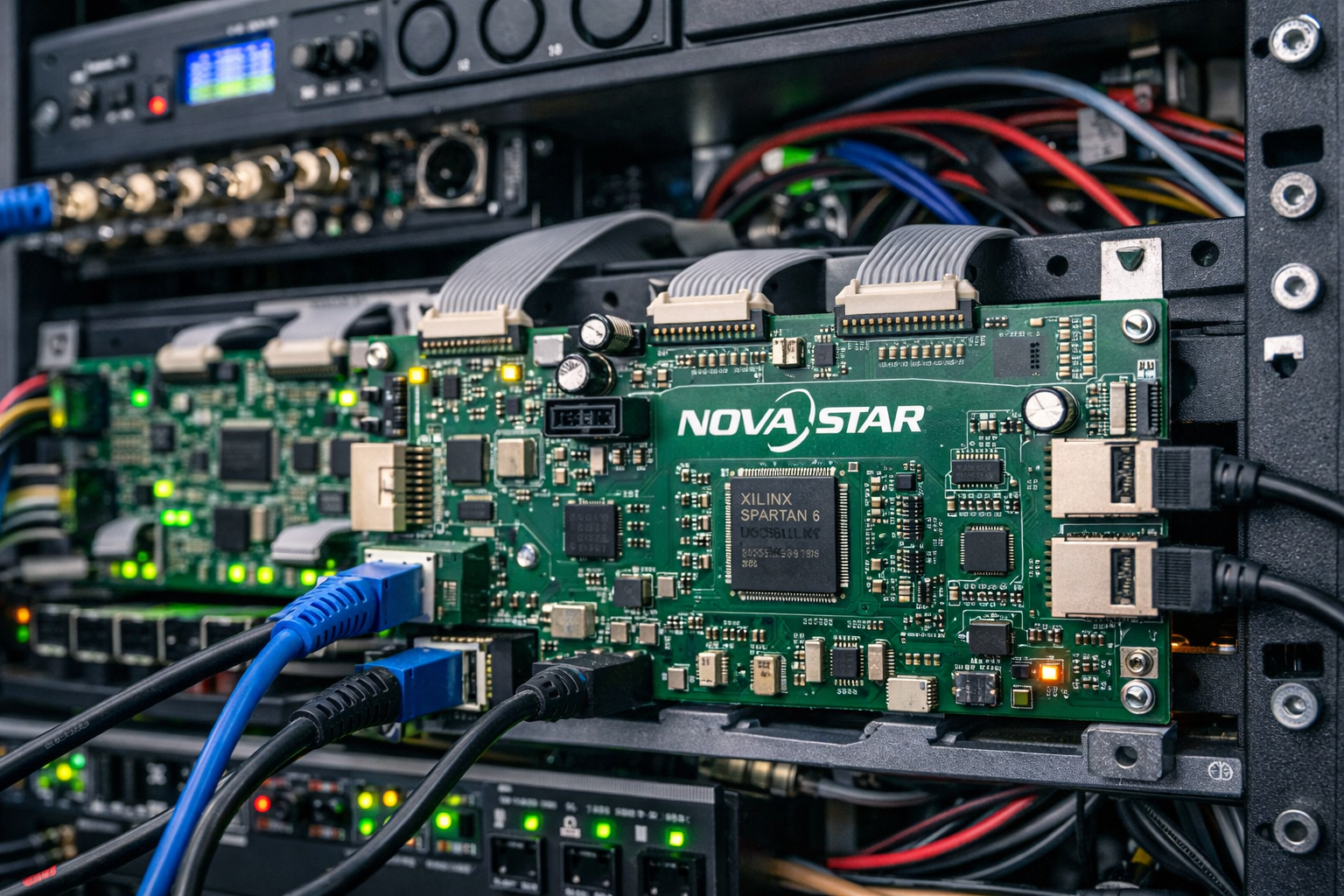
    Among the globally recognized providers of professional LED display control technology is NovaStar, whose solutions are widely used in commercial, broadcast, and outdoor LED display installations worldwide.

    This article provides a technical overview of how LED display control systems work, their core components, and why they are essential for modern LED screen performance.


    What Is an LED Display Control System?

    An LED display control system acts as the central intelligence layer of an LED screen. It receives video or image input from a content source—such as a computer, media player, or broadcast system—and converts that input into structured data that can be understood by individual LED pixels.

    Unlike traditional display technologies, LED screens are modular and scalable. A single display may consist of dozens or hundreds of LED cabinets, each containing multiple modules and thousands of LEDs. The control system ensures that all these components operate as one unified visual surface.

    At a fundamental level, an LED control system is responsible for:

    • Interpreting video signals
    • Mapping content accurately across the display resolution
    • Synchronizing data transmission to all modules
    • Maintaining color, brightness, and grayscale consistency
    • Ensuring stable real-time playback

    Core Components of an LED Display Control System

    Sending Card

    The sending card is the primary interface between the video source and the LED display system. It receives input signals through interfaces such as HDMI, DVI, or DisplayPort and converts them into a format suitable for LED transmission.

    The sending card defines:

    • Screen resolution
    • Frame rate
    • Signal timing
    • Data output structure

    In large or complex installations, multiple sending cards may be used to manage high-resolution or multi-screen configurations.


    Receiving Card

    Receiving cards are installed inside LED cabinets or directly on LED modules. These cards interpret the data sent from the sending card and control the behavior of individual LEDs at the pixel level.

    Each receiving card manages:

    • Pixel color values (red, green, blue)
    • Brightness levels
    • Refresh timing

    Because receiving cards operate close to the LED modules, their stability and accuracy directly affect visual quality.


    Video Processor

    The video processor prepares content before it reaches the LED display. It handles tasks such as:

    • Scaling content to match screen resolution
    • Cropping or splitting images across multiple displays
    • Adjusting frame rates and formats
    • Managing multiple input sources

    Video processors are particularly important in applications involving live video feeds, presentations, or complex content layouts.


    Control and Configuration Software

    Control software provides the interface through which technicians configure and manage the LED display system. Through this software, operators can:

    • Adjust brightness and contrast
    • Perform color calibration
    • Configure screen layouts
    • Monitor system health

    Advanced software platforms also support diagnostics, error reporting, and remote system management.


    Why Control Systems Are Critical to LED Display Performance

    LED displays function as large, distributed systems. Each pixel must operate in perfect coordination with millions of others to produce a seamless image. The control system ensures this synchronization by precisely timing data transmission and pixel refresh cycles.

    Key performance factors governed by control systems include:

    • Refresh rate stability (important for video clarity)
    • Grayscale accuracy (important for smooth gradients)
    • Color uniformity across large surfaces
    • Signal redundancy and error correction

    Without these controls, displays may suffer from flicker, color inconsistency, or image distortion.


    The Role of NovaStar in Professional LED Display Systems

    NovaStar is widely recognized for developing LED display control solutions that support high-performance, large-scale LED installations. Their systems are used across applications such as outdoor advertising, indoor video walls, broadcast studios, and live event displays.

    NovaStar control platforms are known for:

    • Supporting high refresh rates for flicker-free visuals
    • Advanced brightness and color calibration
    • Flexible configuration for irregular or curved screens
    • Stable signal transmission across complex layouts

    These features make NovaStar controllers suitable for both fixed installations and demanding operational environments. More technical information about their solutions can be found on the official NovaStar website.


    Control Systems in Outdoor LED Display Applications

    Outdoor LED displays operate under challenging environmental conditions, including:

    • High ambient temperatures
    • Dust and pollution
    • Seasonal humidity and rainfall
    • Continuous daily operation

    Control systems play a vital role in maintaining consistent brightness and stable performance despite these conditions. They ensure that content remains visible in direct sunlight and synchronized across large screen areas.

    In outdoor LED advertising displays, control systems help manage brightness adjustments, long cable runs, and signal integrity across expansive installations.


    Control Systems in Indoor LED Displays

    Indoor LED displays prioritize image precision rather than sheer brightness. Control systems in indoor environments focus on:

    • Fine grayscale control
    • High color accuracy
    • Seamless image stitching across panels

    These characteristics are essential for applications such as corporate presentations, control rooms, retail displays, and experience centers.


    Control Systems in Transparent LED Displays

    Transparent LED displays present a unique challenge. They must display digital content clearly while preserving transparency and ambient light flow. Control systems manage:

    • Pixel brightness balance
    • Content visibility against changing background light
    • Uniform performance across glass surfaces

    In transparent LED displays, precise signal control ensures that digital visuals integrate naturally with architectural elements.


    Monitoring, Diagnostics, and Preventive Maintenance

    Modern LED control systems include monitoring and diagnostic features that help detect and address issues before they affect display performance. These tools allow operators to:

    • Identify signal interruptions
    • Monitor voltage and temperature levels
    • Detect faulty modules or connections
    • Perform targeted maintenance

    This proactive approach reduces downtime and extends the lifespan of LED installations.


    LED Display Control Systems Within the Broader Display Ecosystem

    An LED display system consists of multiple interconnected components, including panels, power supplies, mounting structures, and content sources. The control system acts as the coordination layer that ensures all these elements work together efficiently.

    Understanding the role of control systems provides insight into why professional LED displays deliver consistent performance over long operational periods.

    For a neutral overview of LED display technology fundamentals, refer to this resource:
    https://en.wikipedia.org/wiki/LED_display


    Conclusion

    LED display control systems form the foundation of modern LED screen performance. By managing how content is processed, synchronized, and displayed across millions of pixels, these systems ensure visual clarity, stability, and reliability. Technologies developed by companies such as NovaStar continue to shape how LED displays operate in commercial, architectural, and outdoor environments.

    A clear understanding of LED display control systems helps businesses, engineers, and planners make informed decisions when designing and deploying professional LED display solutions.

  • How LED Screen Displays Communicate Images: From Pixels to Full-Color Visuals

    How LED Screen Displays Communicate Images: From Pixels to Full-Color Visuals

    Introduction

    LED screen displays have become a common part of modern visual communication, appearing in outdoor advertising, retail environments, corporate spaces, and public infrastructure. While most people interact with these screens daily, fewer understand how LED displays actually produce images and videos. This article explains how LED screen displays convert electrical signals into clear, full-color visuals using pixel-level control and modular design.

    What Makes an LED Screen Different from Traditional Displays?

    Unlike LCD or projection systems, LED screen displays generate light directly from individual light-emitting diodes. Each pixel on an LED display emits its own light rather than relying on a backlight. This fundamental difference allows LED screens to achieve higher brightness, better contrast, and improved visibility in both indoor and outdoor environments.

    Understanding Pixels in an LED Screen Display

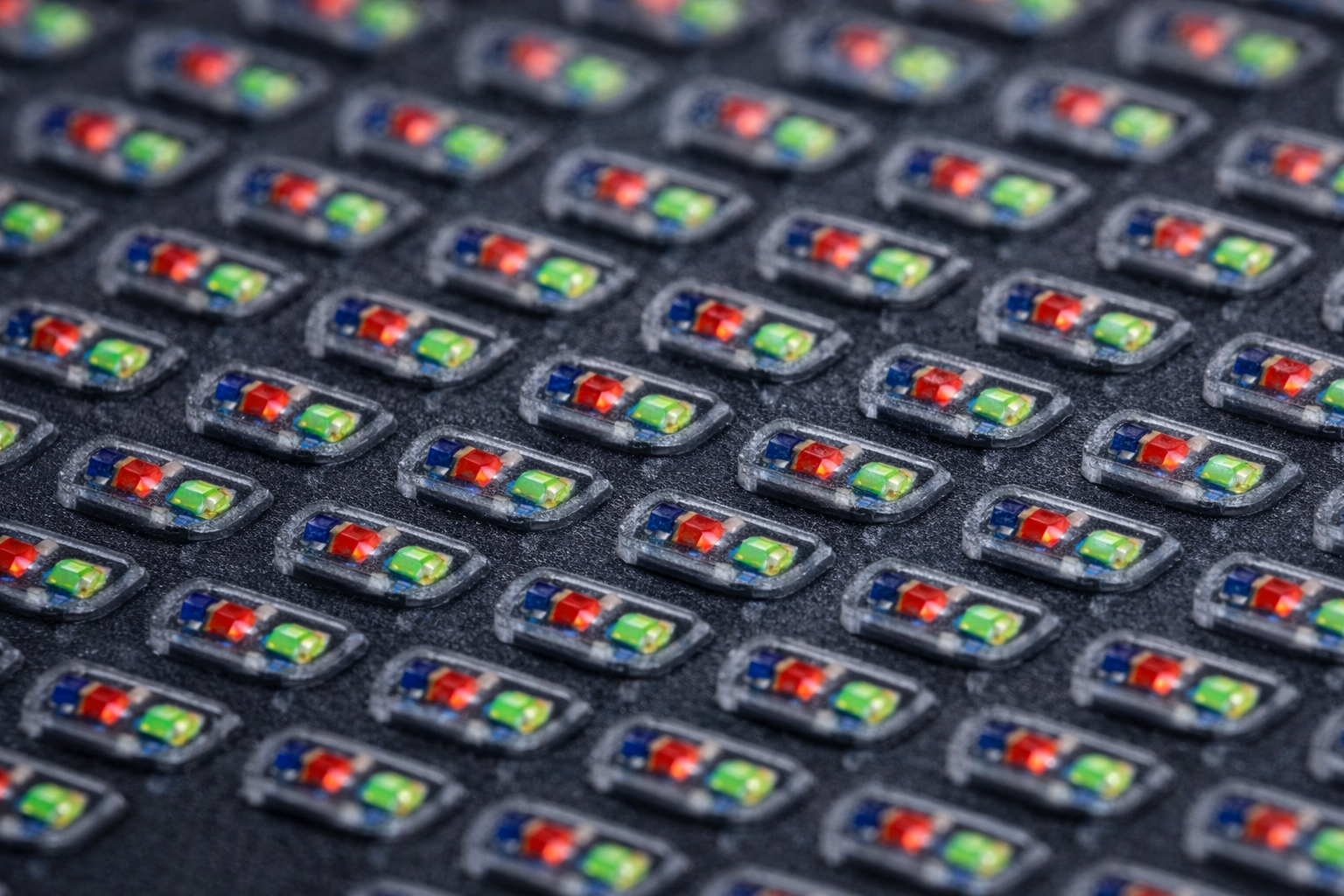
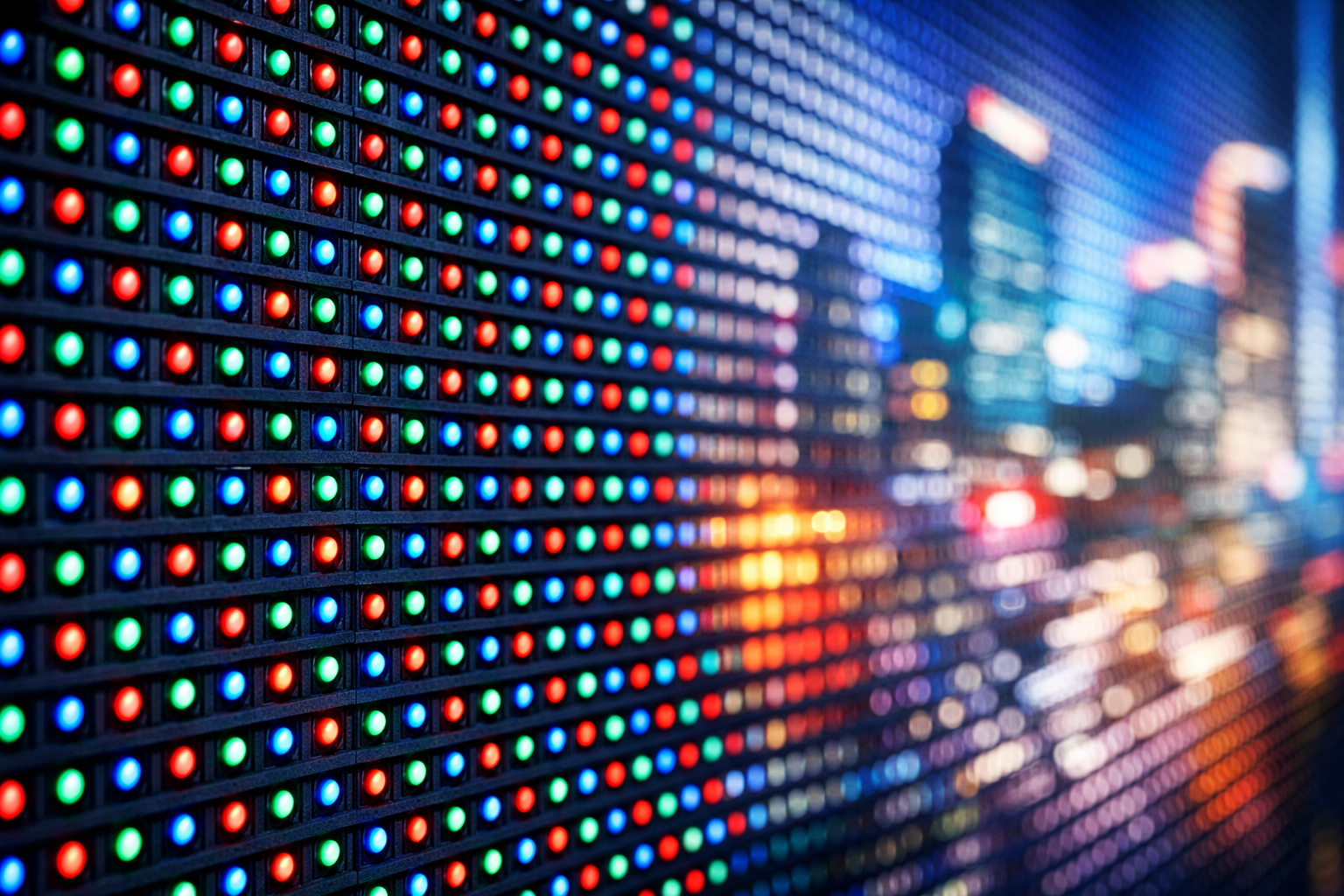
    An LED screen display is made up of thousands or millions of pixels. Each pixel consists of three tiny LEDs:

    • Red
    • Green
    • Blue

    By adjusting the brightness of these three colors at different intensities, the display produces a wide range of colors. When viewed together at normal distances, these individual pixels blend seamlessly into a single image.

    How Images Are Formed on an LED Screen

    Images and videos displayed on an LED screen originate from a digital source such as a media player or computer. The control system processes this content and sends precise electrical signals to each pixel. These signals determine:

    • Which pixels turn on
    • What color each pixel displays
    • How bright each pixel appears

    This process happens continuously and at high speed, allowing LED screens to display smooth motion, animations, and video playback.

    Role of LED Modules in Large Displays

    Large LED screen displays are constructed using smaller units known as LED modules. These modules fit together to form a complete screen of any size or shape. This modular design allows LED displays to scale easily, making them suitable for applications ranging from small indoor video walls to massive outdoor advertising screens.

    Why LED Displays Perform Well in Outdoor Environments

    Because LED pixels emit their own light, LED screen displays maintain visibility even in bright sunlight. Outdoor LED displays are designed with additional protective layers and brightness levels to ensure consistent performance in challenging conditions such as heat, dust, humidity, and rain.

    Color Accuracy and Brightness Control

    Modern LED screen displays use advanced calibration techniques to ensure uniform color and brightness across the entire screen. This is especially important for large installations where visual consistency affects image quality and viewer perception.

    Where This Technology Is Commonly Used

    LED screen display technology is widely applied across retail environments, corporate offices, and control rooms, where indoor LED displays deliver high-resolution visuals for close viewing and detailed content presentation.

    Conclusion

    LED screen displays communicate images by controlling millions of light-emitting pixels with precision and speed. By combining pixel-level color control, modular construction, and direct light emission, LED display technology delivers high-impact visuals across a wide range of environments. Understanding how LED screens work helps businesses and organizations better appreciate the technology behind modern digital displays.

  • Pixel Pitch Explained: How to Choose the Right LED Video Wall Resolution for Your Business

    Pixel Pitch Explained: How to Choose the Right LED Video Wall Resolution for Your Business

    When businesses invest in an LED video wall, one technical term often creates confusion — pixel pitch.
    Many buyers assume that “smaller is always better,” but in reality, choosing the wrong pixel pitch can lead to unnecessary costs or poor viewing experience.

    In this guide, we break down what pixel pitch means, how it affects performance, and how Indian businesses can choose the right LED video wall resolution based on real-world use cases.


    What Is Pixel Pitch in an LED Video Wall?

    Pixel pitch refers to the distance (in millimeters) between the centers of two adjacent pixels on an LED display.

    Example:

    • P1.5 = 1.5 mm distance between pixels
    • P3 = 3 mm distance between pixels

    👉 Smaller pixel pitch = higher resolution = closer viewing distance

    Understanding pixel pitch is critical because it directly impacts:

    • Image clarity
    • Viewing comfort
    • Cost of the LED video wall

    Why Pixel Pitch Matters More Than Screen Size

    Many businesses focus only on screen size, but pixel pitch determines how sharp the content actually looks.

    • A large LED screen with the wrong pixel pitch can appear blurry
    • A smaller screen with the right pixel pitch can deliver stunning clarity

    This is especially important for indoor LED video walls, where viewers stand closer to the screen.

    👉 Related read:
    Beyond 4K: How Small Pixel Pitch LED Displays are Transforming Indoor Spaces


    Common Pixel Pitch Options & Their Ideal Use Cases

    1️⃣ Small Pixel Pitch (P0.9 – P1.8)

    Best for close viewing

    Ideal for:

    • Corporate boardrooms
    • Control rooms
    • Premium retail stores
    • Broadcast studios

    Benefits:

    • Ultra-sharp visuals
    • Seamless content display
    • Best for text-heavy or data-rich content

    This is why high-resolution indoor LED video walls are rapidly replacing LCD video walls in Indian retail and corporate spaces.


    2️⃣ Medium Pixel Pitch (P2 – P3)

    Best balance of cost and clarity

    Ideal for:

    • Shopping malls
    • Conference halls
    • Hotels
    • Educational institutions

    Benefits:

    • Excellent clarity at moderate distances
    • Cost-effective for larger screen sizes
    • Popular choice for Indian commercial interiors

    3️⃣ Large Pixel Pitch (P4 and above)

    Best for long viewing distances

    Ideal for:

    • Outdoor LED advertising
    • Stadiums
    • Roadside billboards
    • Large event displays

    Benefits:

    • High brightness
    • Lower cost per square foot
    • Optimized for visibility rather than fine detail

    Pixel Pitch vs Viewing Distance: A Simple Rule

    A practical rule many LED experts follow:

    Minimum viewing distance (in meters) ≈ pixel pitch (in mm)

    Example:

    • P2 display → ideal viewing distance ~2 meters
    • P4 display → ideal viewing distance ~4 meters

    Choosing the right pixel pitch ensures:
    ✔ Comfortable viewing
    ✔ Better content impact
    ✔ No wasted investment


    Cost Considerations: Don’t Overpay for Resolution You Don’t Need

    Smaller pixel pitch LED displays:

    • Require more LEDs per square meter
    • Increase hardware and processing costs
    • Increase installation complexity

    That’s why buying the smallest pixel pitch without considering usage can reduce ROI.


    Pixel Pitch & Long-Term Reliability

    Higher-resolution LED walls also require:

    • Better heat management
    • Reliable power supply
    • Proactive maintenance

    Ignoring this can lead to downtime and higher lifecycle costs.

    👉 Read more:
    The Hidden Costs of Downtime: A 2026 Guide to LED Maintenance and Reliability


    How Indian Businesses Should Choose Pixel Pitch

    Before finalizing an LED video wall, ask these questions:

    1. How close will viewers stand to the screen?
    2. Is the display indoor or outdoor?
    3. Will the content include text, data, or close-up visuals?
    4. Is ROI more important than ultra-high resolution?

    Choosing based on application, not just specifications, delivers the best results.


    Final Thoughts

    Pixel pitch is not just a technical number — it defines how effective your LED video wall will be.
    By selecting the right resolution based on viewing distance, environment, and content, businesses can achieve maximum visual impact without unnecessary costs.

    👉 For expert guidance and customized LED video wall solutions, explore GleamLED at https://gleamled.com

  • How LED Screens in iPhone & Samsung Mobiles Are Different from Commercial LED Displays

    How LED Screens in iPhone & Samsung Mobiles Are Different from Commercial LED Displays

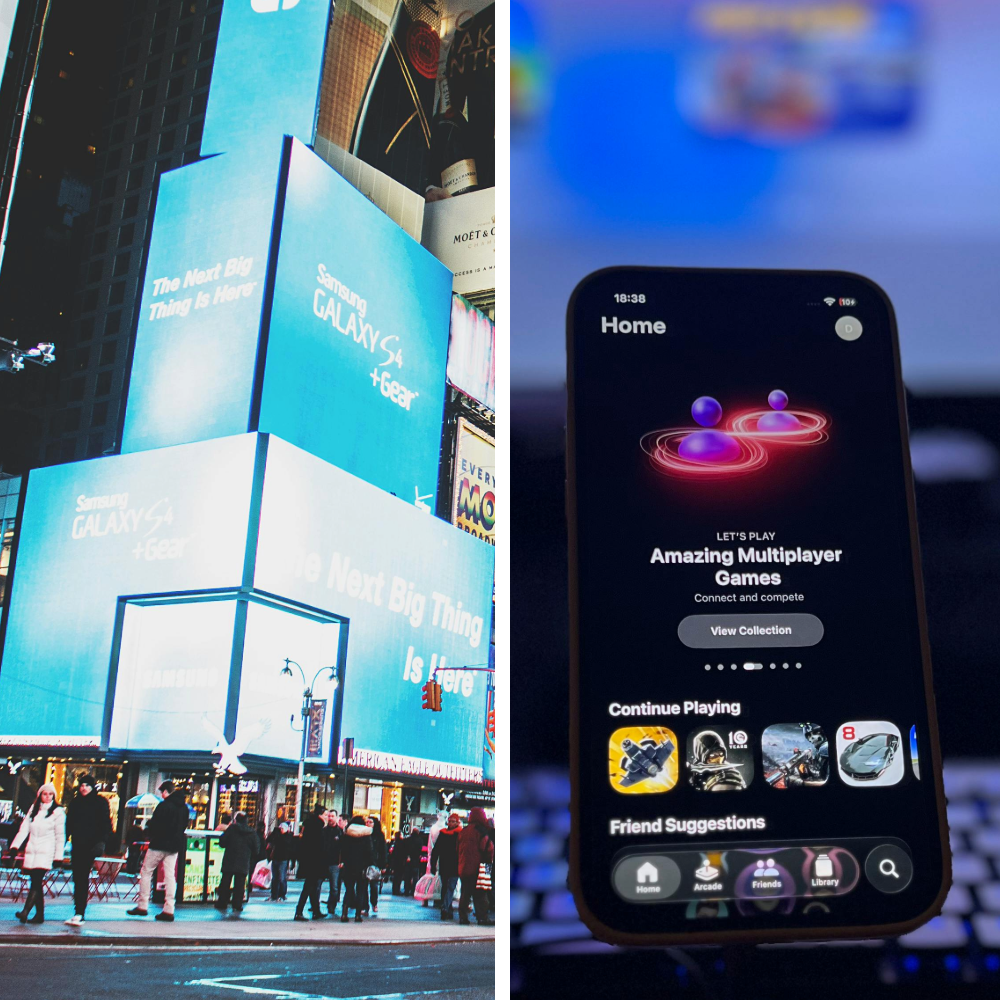
    LED screens are everywhere today — from the smartphone in your hand to massive digital screens in malls, offices, and outdoor billboards.
    At first glance, it may seem like the LED screen used in an iPhone or Samsung mobile is similar to a commercial LED display. However, both technologies are designed for completely different purposes.

    In this blog, we’ll clearly explain the difference between mobile LED displays and commercial LED screens, so you can understand why they are not interchangeable and where each one is best used.


    LED Displays Used in iPhone & Samsung Mobiles

    Smartphones like iPhone and Samsung Galaxy devices use advanced display technologies such as OLED and AMOLED.

    Display Technology

    • iPhone: OLED / Super Retina Display
    • Samsung: AMOLED / Dynamic AMOLED Display

    These displays use self-emitting pixels, meaning each pixel produces its own light. This allows for:

    • Deep blacks
    • High contrast
    • Excellent color accuracy

    Key Features of Mobile LED Displays

    • Small screen size (5–7 inches)
    • Extremely high pixel density (PPI)
    • Designed for very close viewing distance
    • Optimized for battery efficiency
    • Moderate brightness compared to outdoor displays
    • Best for personal, indoor usage

    Mobile displays are engineered to look sharp when viewed from 10–15 inches, making them ideal for phones, tablets, and wearables.

    For more details on smartphone display technology, you can explore:


    What Is a Commercial LED Display Screen?

    Commercial LED displays are large-format screens designed for business and public use. These screens are commonly seen in:

    • Shopping malls
    • Retail stores
    • Corporate offices
    • Events and exhibitions
    • Outdoor advertising billboards

    Unlike mobile screens, commercial LED displays are built using modular LED panels made up of thousands of individual RGB LEDs.

    Key Features of Commercial LED Displays

    • Very large screen sizes (measured in feet, not inches)
    • Optimized for long viewing distances
    • Extremely high brightness (3000–8000+ nits)
    • Built for continuous 24/7 operation
    • Weather-resistant for outdoor use
    • Designed for durability and scalability

    Commercial LED screens prioritize visibility, size, and reliability over ultra-fine resolution.

    If you’re exploring LED solutions for business spaces, you can also check our guide on
    👉 Commercial LED Lighting Solutions


    Mobile LED Display vs Commercial LED Screen: Key Differences

    FeatureMobile LED Display (iPhone / Samsung)Commercial LED Display
    Screen SizeSmall (5–7 inches)Large (10 ft and above)
    Viewing DistanceVery closeMedium to long distance
    Pixel DensityVery high (PPI)Optimized pixel pitch
    Brightness800–2000 nits3000–8000+ nits
    UsagePersonal useAdvertising & branding
    Power SourceBattery-poweredDirect power supply
    DurabilityIndoor use onlyIndoor & outdoor
    Operating TimeLimited daily use24/7 operation

    This difference is why smartphone screens cannot be used for commercial purposes, even though both are called “LED displays.”


    Why Mobile Display Technology Cannot Be Used for Commercial Screens

    Many people ask why companies don’t simply scale up mobile OLED displays for large advertising screens. Here’s why that doesn’t work:

    1. Scalability Issues
      Mobile displays are not designed to be expanded to large sizes.
    2. Cost
      Using OLED technology for large screens would be extremely expensive.
    3. Brightness Limitations
      Smartphone displays are not visible in direct sunlight like commercial LED screens.
    4. Heat & Power Management
      Mobile displays are not built for long-duration usage.
    5. Durability
      Commercial displays must withstand weather, dust, and continuous operation.

    Best Use Cases for Each Type of LED Screen

    Mobile LED Displays Are Best For:

    • Smartphones
    • Tablets
    • Smartwatches
    • Personal entertainment devices

    Commercial LED Displays Are Best For:

    • Retail stores and showrooms
    • Corporate offices
    • Malls and multiplexes
    • Outdoor advertising
    • Events and exhibitions

    If you’re planning LED installations for business environments, explore our custom LED solutions on
    👉 GleamLED