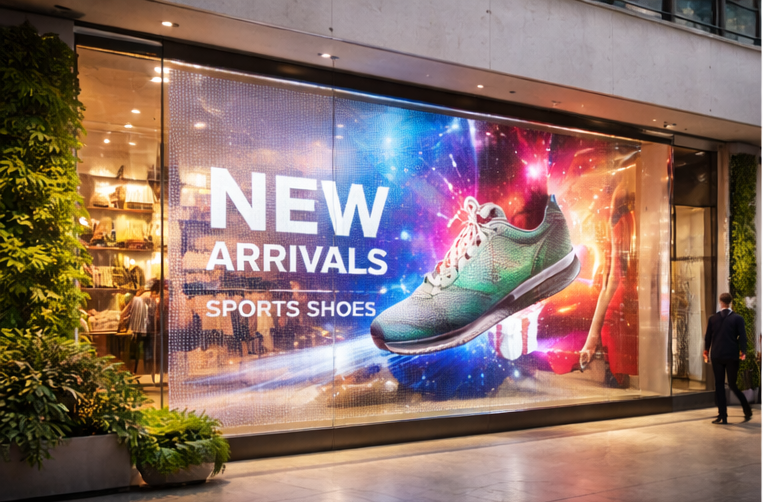
A transparent LED screen is built to display high-impact content on glass while keeping visibility through the window. It’s ideal for storefront glass, retail windows, mall atriums, and building facades where a normal LED wall would block the interior.
In this guide, you’ll learn how transparent LED works, what specifications actually mean, and how to choose the right configuration—using the LUCID Transparent LED Display as a real reference.
1) What is a Transparent LED Screen?
A transparent LED screen uses LED pixels mounted on slim strips or a grille-like structure, leaving space between pixels. That open area is what creates the “see-through” effect.
Unlike regular indoor LED walls, transparent LED is a balance of:
- Transparency % (how much you can see through)
- Brightness (nits) (daylight impact)
- Pixel pitch (clarity and viewing distance)
- Service access + installation method (maintenance and long-term uptime)
2) How Transparent LED is Built (Simple Technical Breakdown)
Pixel strips + open area design
Transparent LED panels commonly use thin PCB strips with LEDs placed at a fixed pitch. The gaps between strips increase transparency.
Cabinet / panel system
Most commercial installs use standardized panels (cabinets) that join together to form custom sizes.
For example, LUCID uses a cabinet/panel format designed for architectural glass installs.
Control system (processor + sending/receiving)
Like other LED displays, transparent LED requires a controller/video processor setup and proper signal distribution. This matters more on facades/atriums where cable runs can be longer.
If you want to see common application setups, check Transparent LED solutions.
3) LUCID Transparent LED Specs (Real Example from a Transparent LED Product)
Below are key technical parameters from the LUCID Series to help you understand what to compare when evaluating transparent LED.
Reference product: LUCID Transparent LED Display
Pixel pitch & resolution
- Pixel pitch: 3.91 / 7.8 mm (L3 and L3-Pro)
- Pixel density: 32,768 pixels/㎡
What it means: This pitch is typically chosen for storefronts, showrooms, and glass installs where the viewing distance is not extremely close.
Brightness (nits)
- L3 brightness: 800 nits
- L3-Pro brightness: 4,200 nits
What it means: Brightness should be selected based on whether your glass faces daylight and how strong the ambient light is.
Transparency rate
- Transparency: 60% (L3 and L3-Pro)
What it means: You keep visibility through the glass while still showing content (actual perceived transparency also depends on content colors and brightness settings).
Refresh rate (camera performance)
- Refresh rate: 3,840 Hz
What it means: Higher refresh helps smooth motion and improves camera friendliness (important for launches, events, influencer content, and filming).
Panel size, resolution & weight
- Panel dimension: 1000 mm × 1000 mm
- Panel resolution: 256 × 128
- Panel weight: 15 kg
What it means: Standard panel sizes make it easier to plan screen dimensions and structure.
Power consumption
- Max/Avg power: 600W / 150W per ㎡
What it means: Always plan electrical load using max power, but estimate running cost using average power.
Viewing angle
- Viewing angle: 160° / 160°
What it means: Useful for public walk-by viewing in malls, storefronts, and open areas.
IP rating (environment protection)
- L3: IP31
- L3-Pro: IP43
What it means: Higher IP offers better protection against dust/moisture exposure. Choose based on whether the installation is indoor, semi-outdoor, or exposed to humidity/dust.
Voltage and operating limits
- Input voltage: 110V–240V, 50/60Hz
- Operating temperature: -20° to 60°C
- Grayscale: 14-bit
- Lifespan: >100,000 hours
4) The 7 Transparent LED Specs You Must Compare (Buyer Checklist)
When comparing transparent LED screens, prioritize these:
- Brightness (nits) — match to daylight direction and glass placement
- Transparency % — higher transparency looks premium, but can reduce “impact”
- Pixel pitch — choose based on viewing distance, not just “best spec”
- Refresh rate — critical if it will be filmed
- Panel size & weight — affects structure design and installation speed
- Power (max/avg) — affects wiring, MCB selection, and operating cost
- IP rating — important for dusty, humid, or semi-outdoor areas
5) Choosing the Right Transparent LED for Your Use Case
Storefront glass / retail windows
- Priorities: premium look + visibility + strong promotion content
- Choose brightness based on sunlight exposure
- Ensure clean mounting and concealed cabling
Mall atriums & experience centers
- Priorities: wide viewing angle + balanced pitch + clean structural planning
- Consider camera use if the space hosts launches/events
Building facades / curtain walls
- Priorities: IP protection, structure engineering, cabling route, service plan
- Brightness and environmental protection are typically more important here
For execution support, go to LED video wall installation and commissioning.